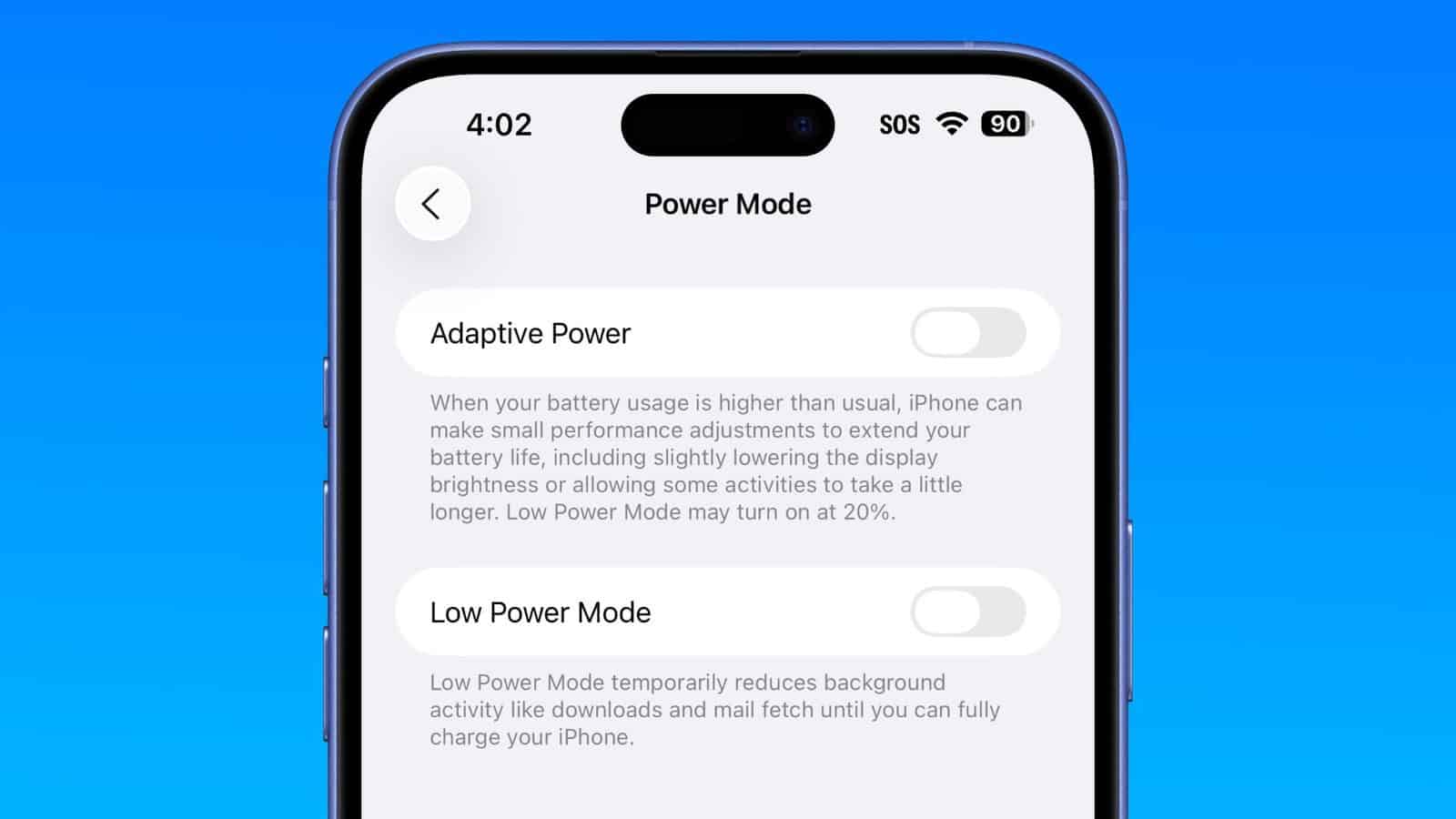
As part of iOS 26, Apple has introduced a new Adaptive Power battery mode that aims to make sure your phone has enough power to last you the day. On top of that, the feature is enabled by default on the iPhone 17, iPhone Air and the iPhone 17 Pro series. Here’s how it works.
How does Adaptive Power work?
Apple’s Adaptive Power Mode utilizes Apple intelligence to analyze how you use your phone and predict when you’ll need extra battery life — all based on recent patterns.
Once it has an idea of your usage, the AI will adjust your power levels as needed to help keep your battery lasting longer throughout the day. However, the feature doesn’t manage performance when you use more intensive features, such as the Camera, or if you’re playing games while Game Mode is running.
This process won’t be instant, however, as Apple has stated that Adaptive Power requires around seven days of background processing to learn users’ habits. Once it’s completed its analysis, it can start making performance adjustments, lower your screen brightness, limit background activity and automatically activate Low Power Mode when your phone hits 20%.
It is worth noting that, while the feature is enabled by default on the iPhone 17 series, it is entirely optional. As such, you can choose to turn the feature off if you prefer. Although it appears to be better to leave it on.
What Adaptive Power Mode Does
When your battery usage runs higher than usual, Adaptive Power Mode automatically makes small performance tweaks to help your iPhone last longer. Apple says this includes slightly dimming the display brightness or allowing some tasks to "take a little longer" to complete.
The feature works in the background without the limitations of Low Power Mode, although the latter may still be activated if your device depletes to a 20% charge level.
The iPhone Air, iPhone 17, iPhone 17 Pro, and iPhone 17 Pro Max have the iOS 26 Adaptive Power option enabled by default.
Compatible iPhone Models
Adaptive Power Mode requires Apple Intelligence, which limits availability to the following iPhone models:
- iPhone 15 Pro
- iPhone 15 Pro Max
- iPhone 16e
- iPhone 16
- iPhone 16 Plus
- iPhone 16 Pro
- iPhone 16 Pro Max
While Adaptive Power is available for the iPhone 17 models, iPhone 16 models, and the iPhone 15 Pro models, it is only turned on automatically on the iPhone 17 models. It is off by default on iPhone 16 models, the iPhone 15 Pro, and the iPhone 15 Pro Max.
How to Enable or Disable Adaptive Power Mode
Follow these steps to enable or disable the feature:
- Open Settings on your iPhone.
- Tap Battery.
- Tap Power Mode.
- Toggle on/off the switch next to Adaptive Power.
If you enabled the feature, your iPhone will automatically monitor battery usage patterns and make adjustments when needed. If you’d like to be alerted to when changes are made, be sure to toggle on Adaptive Power Notifications in the same settings menu. You don’t need to manage the feature manually, as it works entirely behind the scenes.
See also: How to fix iPhone battery drain after iOS 26 update