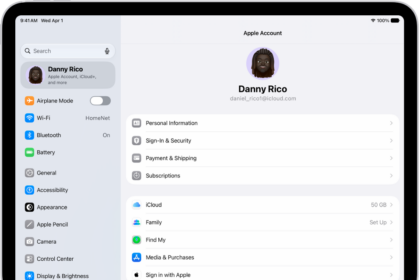
If you’re seeing the message “Cannot verify payment information. Contact Apple Support” when trying to update your Apple Account payment details, you’re not alone. Many iPhone 18 Pro and Mac users run into this frustrating issue, even when using valid cards.
The error can prevent you from downloading apps, renewing subscriptions, or even updating existing apps.
There are a few common reasons why this message appears:
- Incorrect or outdated details – A small typo in your card number, expiration date, billing address, or CVV can cause a rejection. Entering correct ZIP codes is also important.
- Unpaid Apple balance – If you owe money from a past purchase or subscription, Apple will block new downloads or updates until the balance is cleared.
- Bank rejection – Sometimes your bank or card issuer blocks Apple’s small test charges (usually $1 or less). Or maybe that account is closed.
- Unsupported card type – Some debit, prepaid, or international cards don’t work with Apple services.
- Family Sharing issues – If you’re part of a Family Sharing group, payment verification codes may be sent to the family organizer, which can fail.
- Disputed charges – If you disputed a past charge with your bank, Apple may no longer accept that card. Some other companies do this also. Once you dispute a charge against them, they will flag you.
- Fraud prevention – Apple may flag a card if it looks suspicious, even if you know it’s fine. You may need to contact Apple.
Fix:
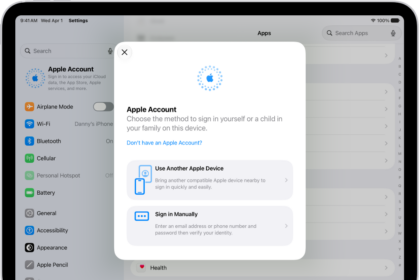
- Double-check your payment info. Go to Settings > [your name] > Payment & Shipping. Make sure everything matches exactly what’s on file with your bank. Even a slight mismatch can cause errors.
- Check for unpaid purchases. In the App Store, tap your photo or initials. Tap Apps & Purchase History. Tap Purchase History. If you see unpaid items, you’ll need to clear them first with a valid card or Apple Account balance.
- Try a different card, if you have one. Sometimes Apple won’t accept your existing card. Add a new one first before removing the old card, especially if you have active subscriptions.
- Try making a small purchase. A few users said buying a $0.99 app or song helped force the system to recognize their card.
- Contact your bank. Ask if they’re blocking Apple’s verification charges. Some banks treat these small authorization charges as suspicious.
- If you’re in Family Sharing. Only the family organizer’s payment method is used. If verification keeps failing, the organizer should update the payment info.
- Contact Apple.