This article explains how you can clear cache in the Apple Safari browser on your Mac. Safari temporarily stores Internet files (images, web site pages and files, etc.) when you visit websites to reduce server lag so that you can view the websites faster in the future. In short, these cache files are useful in faster loading of the web pages.
However, you may want to delete your Safari browser cache every few weeks because:
- It will help you see the most recent webpage changes.
- It may fix some Safari issues, such as Safari freezing or slow.
- It may speed up your Mac.
- It may help you free up space on your Mac.
There are two ways:
Follow the steps:
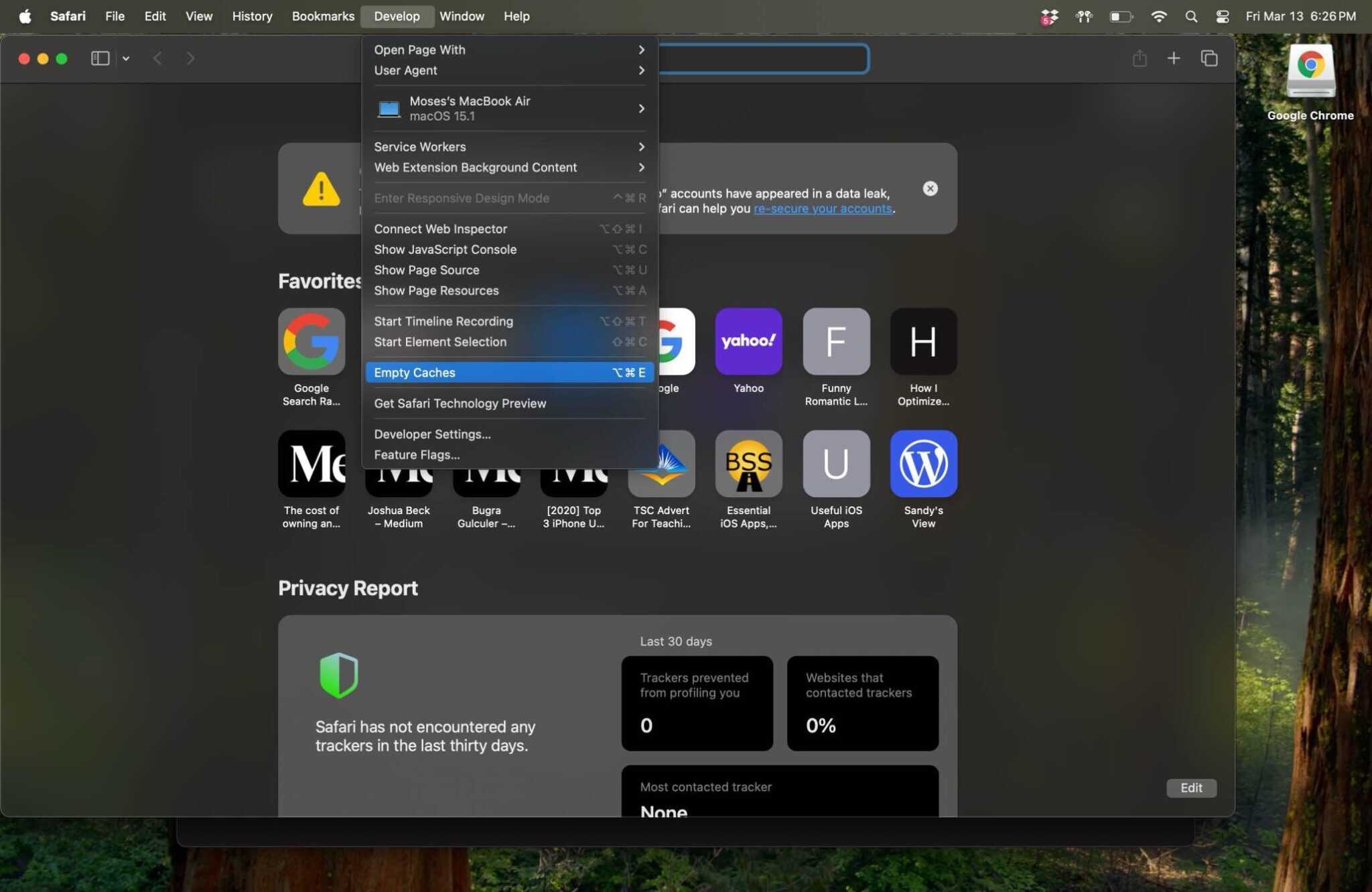
The steps below will teach you how you can delete the browser cache in Safari on Mac using the developer tools.
- Open Safari on your Mac.
- In Safari, click Safari (menu bar).
- Click Settings.
- Click the Advanced tab.
- And check the “Show features for web developers” option.
- Now a new menu item will appear called Develop in the Safari menu bar.
- Click this new option, Develop.
- And click Empty Caches.
You can also delete the Safari cache files on Mac manually by dragging them to the Trash folder. Here is how:
- First, we will open the Safari cache folder, which is located in the Library folder. The library folder is a hidden folder. Here is how you can open the Library folder:
- Go to Finder.
- Press and hold the Option key and while pressing the Option key, click Go and Library. (You can also, directly, open the cache folder in the Library folder by clicking Go > Go To Folder [Command + Shift + G] and enter ~/Library/Caches/com.apple.Safari/ and hit Go.)
- Click Caches and then com.Apple.Safari.
- This will open the Safari cache folder.
- Delete the Safari caches by dragging them to the Trash folder. And restart your Mac.