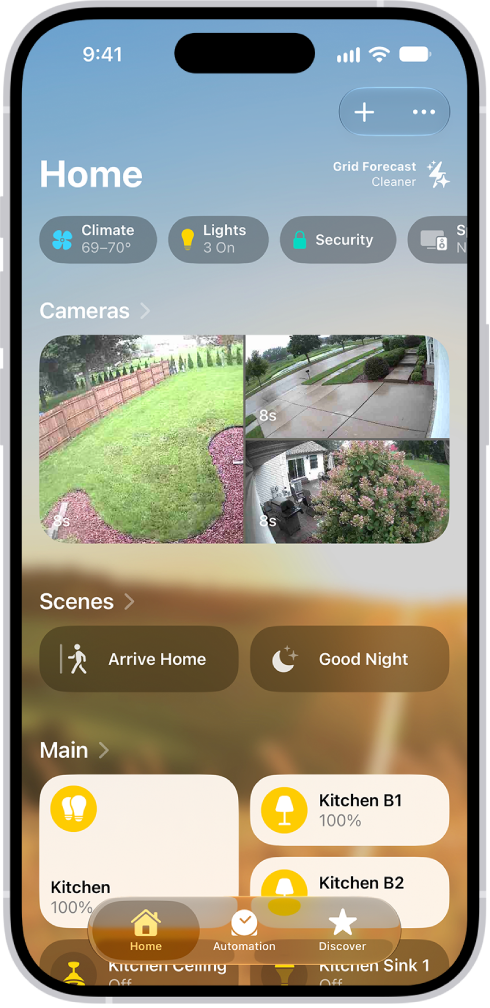
On iPhone, in the Home app, you can create scenes that allow you to control multiple accessories at once. For example, you might define a “Reading” scene that adjusts the lights, plays soft music on HomePod, closes the drapes, and adjusts the thermostat.
The first accessory you add decides which room the scene belongs to. So if you start with your bedroom lamp, the scene is assigned to your bedroom. Each accessory can then be set to the state you want when you run the scene.
Create a scene
- Open the Home app on your iPhone.
- On the Home tab, tap the Add button, then tap Add Scene.
- Tap Custom and enter a name for the scene (such as “Dinner Party” or “Watching TV”). Then tap Add Accessories.
- Select the accessories you want this scene to include and then tap Done.
The first accessory you select determines the room the scene is assigned to. If you first select your bedroom lamp, for example, the scene is assigned to your bedroom.
- Set each accessory to the state you want it in when you run the scene.
For example, for a Reading scene, you could set the bedroom lights to 100 percent, choose a low volume for the HomePod, and set the thermostat to 68 degrees.
- Test the scene and choose whether or not to show it on the Home tab (scenes appear on the Home tab by default) and tap Done.
Use scenes
Here’s how to use your scenes once they’re set up:
- Run a scene: Tap the scene on the Home tab.
If you’ve decided not to show the scene on the Home tab, tap the More button, choose the room the scene is assigned to, then tap the scene.
- Edit a scene: Touch and hold a scene, then tap Edit Scene. You can change the scene’s name, test the scene, add or remove accessories, and more.