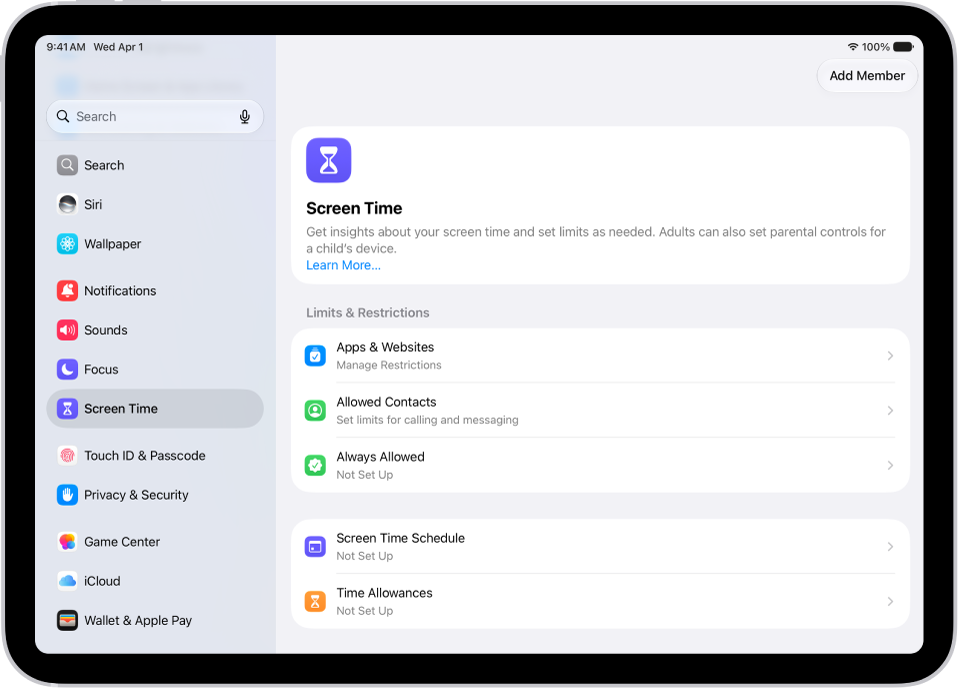
On iPad, you can create a passcode that you must enter before changing Screen Time settings you selected for yourself. After you set a passcode, you can change or remove it later in Settings.
You can also set up Screen Time Passcode Recovery, so your Apple Account can reset a forgotten Screen Time passcode. The passcode protects only the settings you chose for yourself.
Here’s how to create, change, or remove a Screen Time passcode on iPad.
Create a Screen Time passcode
You can choose to enter a Screen Time passcode before you can change the settings you’ve chosen for yourself.
- Open the Settings app on your iPad.
- Tap Screen Time, tap Manage Screen Time, and then tap Lock Screen Time Settings.
- Enter a four-digit passcode and then enter the passcode again to verify it.
Note: After setting a passcode for yourself, you can also set up Screen Time Passcode Recovery. If you set up this feature, you can use your Apple Account to reset your Screen Time passcode if you ever forget it.
Change a Screen Time passcode
- Open the Settings app on your iPad.
- Tap Screen Time and tap Change Screen Time Passcode. Tap Change Screen Time Passcode.
- Enter your current passcode, enter a new four-digit passcode, and then enter the new passcode again to verify it.
Remove a Screen Time passcode
- Open the Settings app on your iPad.
- Tap Screen Time, tap Change Screen Time Passcode, select Turn Off Screen Time Passcode, and enter your current passcode.
See also