You can easily reset your Apple Watch and its passcode through the Watch app on your iPhone. But what if you need to reset your Apple Watch without an iPhone or a password? Well, we’ll show you how.
If you need to reset an Apple Watch despite being without the paired iPhone or password, there’s an easy way to do it. In the past, i’ve found myself in a situation where I lost my iPhone or forgotten passcode and I need to reset my Apple Watch. Fortunately, Apple makes it easy to reset an Apple Watch without paired phone or even a password. Here’s how.
How To Reset Apple Watch without an iPhone or Password
If you want to reset or erase your Apple Watch but you don’t have its passcode and/or the iPhone it’s paired to, you can reset the watch directly from the device. When you reset Apple Watch instead of unpairing it, the watch is still protected by Activation Lock. Before you can pair Apple Watch again, you’ll have to enter the Apple Account and password that were used to set it up. To reset an Apple Watch, follow these steps:
- Place Apple Watch on its charger and make sure that it’s charging.
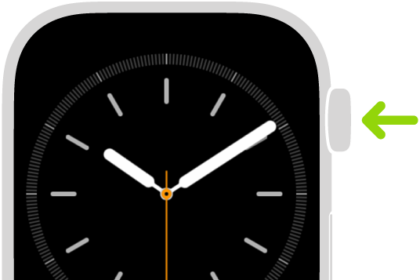
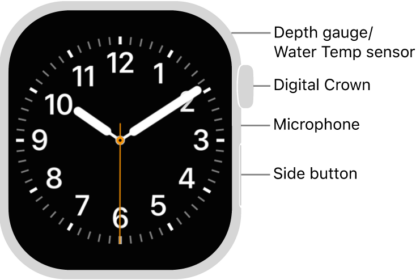
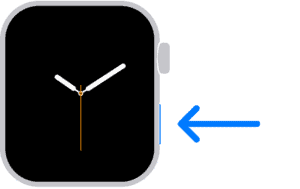
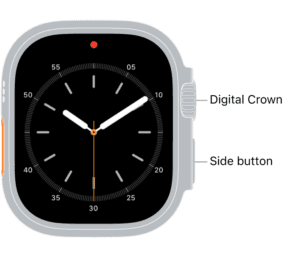
- Press and hold the side button until the screen with the power button appears in the upper-right corner of the display, then release the side button. If your Apple Watch is running an earlier version of watchOS, you see the Power Off slider instead of the power button.
- Press and hold the Digital Crown until the red Reset button appears on the display.
- Tap Reset, then tap Reset again to confirm your action.
- Wait for your Apple Watch to reset.
. 
. 
After the reset process is complete, you can pair your Apple Watch again. Please keep in mind that you’ll need the Apple Account and password that were used to set up the watch.