The new iOS 27 is amazing, and it keeps getting better with every update that Apple releases. We are currently on the fourth beta, and it is amazing. Everything is looking really good with iOS 27. The battery, the performance, and all the cool new features and improvements that Apple has added make this a complete package. It is actually, in my opinion, one of the best iOS updates that we have gotten in the last few years. Here are 9 hidden features that we have been able to discover on the latest update of iOS 27, which are super cool.
Zoom Photos to Fill
Head on to the Apps section in the Settings app, go to Photos, and then under View Options you will find a new setting called Zoom Photos to Fill. It will be enabled by default. What it does is it slightly zooms in on photos to better match the phone’s display aspect ratio, so that’s really cool. Photos now should look much better in your Photos app with this setting enabled.
Siri previews
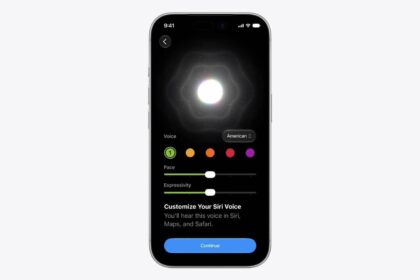
In the Settings app, if you go under the Siri settings for the new Siri, you will have a preview section. Basically what it shows is the preview of the answers by Siri. Apple has added this new option that will let you choose how many lines are shown on Siri previews. You can choose None, and then you have from one up to five lines, so based of course on how you like it, you can go ahead and just change them.
Icons for Share My Screen and Ask to Share Screen
On iMessage, you have that little FaceTime icon on a conversation. When you tap the FaceTime icon, you will have options to FaceTime Audio or Video, and then you have Share My Screen, and Ask to Share Screen. Previously, we had icons just for the FaceTime options; now you will have icons for Share My Screen, and also an icon to Ask to Share Screen.
The AirPods listening mode in Control Center
In Control Center, we have a change for AirPods. When you go to your AirPods and you go to the listening mode, Apple has redesigned the controls with Liquid Glass. This redesign is new for Control Center; basically everything in Control Center is on Liquid Glass. These controls used not to be on Liquid Glass; they had that old look from iOS 18. It actually took Apple quite a while, from iOS 26 to now, to have these controls updated with Liquid Glass, but they look pretty cool.
See also: All The New AirPods Features in iOS 27
A preview of what you have copied
One thing that I really like on iOS 27 beta 4 is the improvements that Apple has made to the part of the keyboard above the keys, where you have basically the option to paste whatever you have copied on your clipboard. Of course you can tap the paste option to paste, but now it has been improved a lot. When you have a photo copied, it shows you a preview of what you have copied, which is really really awesome. Of course you can go ahead and tap the paste option to paste that photo, but again you will have the preview so you know what you have copied on your clipboard, which is really awesome, and even for other things it will add way more details, and now this feature is actually way more refined.
Another thing is a preview or basically the logo of a website that you might have copied to your clipboard. for example, i had apple.com copied to my clipboard, and it showed me the logo for Apple. This is really cool; it looks much better this way. You have basically a better design because you see either the icon or a preview of a photo or whatever you have copied. In my opinion this looks much much better, and it’s a very welcome feature as it allows you to just tap and quickly paste anything you have copied on your clipboard.
The color of dark mode widgets
Another very welcome change on the home screen of iOS 27 with beta 4 is the color of the widgets that are on the dark mode or that are always dark. Previously they had a grayish color. Apple has updated that color, and if we just change to the dark mode icons, this widget is on the dark mode and it is actually black, it’s not a grayish color, it is actually black and it looks much much better. This change will of course affect all the widgets when you have them on the dark mode; they look dark and do not have that grayish color, which actually sometimes was even interrupting. Maybe if you had a bigger widget for your email or maybe your calendar, it was way harder to read something in smaller text. In my opinion it looks much better, and of course it’s even way more useful.
The volume HUD
Another change on the home screen of your iOS 27 device is that the volume HUD you get on the side when you have something playing is on Liquid Glass now, and it does change based on the Liquid Glass setting that you have on your device. Previously it wouldn’t change, so if we go under Appearance, Liquid Glass, and we turn the slider all the way up, it used to display differently; now when we turn the slider down, the volume HUD does change and now it’s on Liquid Glass. Hopefully Apple will do the same with some other parts of the UI on iOS 27, like Control Center, which doesn’t change at all based on what settings you have. They should do that as well, and maybe even have a separate slider for Control Center.
Blur in the App Library
Finally, Apple has added the blur to the App Library on iOS 27, and this looks much better. It’s all blurred out in the background; you will notice the apps way better. When you’re looking for an icon or an app it pops up more. It is super cool what Apple has done with the App Library. They even added blur to Today View, even though most likely a lot of people won’t even ever use Today View anymore. But it’s there if you want to use it. And again, having this blurred background in the App Library looks much better.
I think having something similar to that for Control Center would actually look much better. I don’t think Apple is actually able to find something properly for Control Center: sometimes it’s too blurred, sometimes not; it’s darker in the background. It actually doesn’t look finished, but hopefully in the next few betas we will actually have improvements there as well.
The Lock Screen buttons
And last but not least, on the lock screen we have a change for the buttons; now they’re actually on the light mode every time you use them, whether your device is on dark mode or not. Previously, on the third beta, they made a change where they would actually change to the dark mode; now they will stay on the light mode every time.
This is iOS 27 beta 4, packed with new features and changes that will make your device way better. We’re very excited to see what beta 5 will hold for iOS 27; most likely August 3 will be the time that we get this beta out. That should be the last time we’re on a two-week cycle, because from there on most likely we’re moving to a weekly cycle, which means that on August 10 we should have iOS 27 beta 6 released, and then of course beta 7 a week after that.