Apple Studio Display XDR Review: Maybe we’re all pros. Maybe that’s what this means.
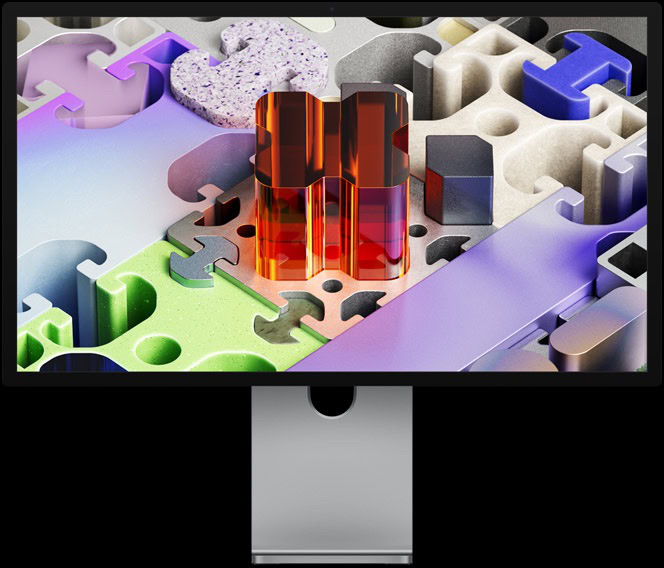
This is Apple’s new Studio Display XDR. You probably can’t tell just by looking at it, but this is the new one. I’ve been testing it, staring at it for a few days now, and here is my review.

This is not the most important product Apple has shipped this year, let’s be real, but I’ve been watching Apple and covering them for a while and the decisions that they make and the decisions that they don’t make. I think the existence of this monitor as it sits actually tells us a lot more about what Apple’s doing right now.

Studio Display XDR specs
| Studio Display XDR | Pro Display XDR | |
|---|---|---|
| Panel | 27-inch 5K mini-LED | 32-inch 6K mini-LED |
| SDR brightness | 1,000 nits full screen | 500 nits |
| Peak HDR brightness | 2,000 nits | 1,600 nits |
| Local dimming zones | 2,304 | 576 |
| Max refresh rate | 120Hz with Adaptive Sync | 60Hz |
| Webcam and speakers | Yes | No |
| Thunderbolt 5 | Yes, plus a downstream port | No |
| Price | $3,299, stand included | $4,999, stand $999 extra |
| Nano-texture glass | $300 | $1,000 |
Two new displays, one real upgrade
This year was a tale of two brand new displays from Apple. They dropped a barely updated regular Studio Display, which is the same design, same stand, same chassis, same 11-year-old 27-inch 5K IPS LCD panel, but now with the new processor inside and new Thunderbolt 5 ports on the back, and it’s for the same $1,599 price. It’s a weird, good-looking, but weird monitor.
Then this one is brand new. This is the Studio Display XDR, and so it’s an upgraded, higher-performing version of the regular Studio Display. It’s still a 27-inch 5K monitor with the same great stand, but the panel, oh, the panel. This time, it’s finally a mini-LED display with 2,000 nits of peak HDR brightness and 120Hz max refresh rate with adaptive sync support.
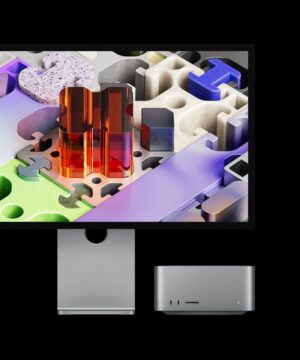
Apple Studio Display XDR replaces the Pro Display XDR. Hmm, so the Studio Display replaces the Pro Display. Studio replaces Pro. Okay, keep that in mind.
Display quality
Apple Studio Display XDR is an awesome display, and at a technical level, it’s better in every single way than the Pro Display XDR. It gets much brighter. It’ll do 1,000 nits full screen in regular SDR mode. The Pro Display could only do 500, and the Studio Display XDR will do up to 2,000 nits peak brightness in HDR versus the Pro Display’s 1,600.
The mini-LED backlight is giving us way more contrast control. That’s 2,304 local dimming zones versus the Pro Display’s 576. You can see that extra contrast control in a dark room with a black background video. The difference is insane. There’s way less blooming, higher contrast ratios. It’s not even close.
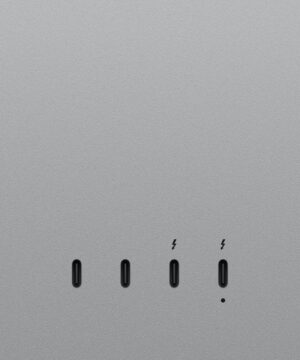
Then it also gains the extra Thunderbolt 5 port on the back, which is sneakily, extremely useful. It also adds a webcam and speakers that the Pro Display didn’t have. It’s cheaper, which isn’t saying much because the Pro Display was $5,000, and then the stand was an extra $1,000, and then the nano-texture was another $1,000. But this better display starts at $3,299 and includes that stand. Nano-texture is only $300 more.
Nano-texture glass
The nano-texture thing the Cupertino Company has been doing for some years now — I think it’s progressively getting better and better. It started on the Pro Display XDR a decade ago, and it was effective, but extremely difficult to clean. I can’t touch my Pro Display XDR without fear of leaving permanent marks on it. It’s kind of insane. That also birthed the infamous Apple polishing cloth, and its constantly updated compatibility list.
But then the company started bringing nano-texture to other displays. The MacBook Pro, for example, got nano-texture, and that’s a little better. You could use different cloths on it and effectively clean it pretty well. Then they brought it to the iPad. There’s an iPad Pro with nano-texture, and that’s a touchscreen.
This is the nano-texture version on the desktop 10 years later. It did come with a note and a separate cleaning cloth. The note says to only use that cloth, including the polishing cloth, to clean the display. It is a different polishing cloth than the previous Pro Display’s. So I think I can probably use other microfibers and not have any issue.
Apple did update the compatibility list for the old polishing cloth to include the new Studio Display. I know you were holding your breath for that one.
Pairing with a MacBook Pro
Last time I reviewed the Studio Display, I remember specifically pairing it again with my MacBook Pro and saying that even though the Studio Display is made for the Mac, it doesn’t actually feel like it makes a great pair with the MacBook Pro, because they don’t match that well. The MacBook Pro is a nice, high refresh rate mini-LED display. Then your Studio Display is a 60Hz LCD. But now the Studio Display XDR specifically is a much better pair with the MacBook Pro.
There are, as always, lots of other options for monitors that you could get to pair with your Apple computer. But the reason that a lot of people end up choosing the Studio Display, the Apple Display, is because of how well it pairs with and works with the Mac. That’s not just aesthetics, though being silver and metal is gonna be a factor, but it’s also the one cable life.
Ports and connectivity
Like plugging in a single Thunderbolt 5 cable into the display at your desk and getting all your accessories to light up — everything else connected to all the other ports on the back of the display, including if you want another full speed Thunderbolt 5 port to dock some fast storage to the display. You can even connect through that Thunderbolt 5 port to another Studio Display. So you can daisy chain up to four Studio Displays or two Studio Display XDRs together to the same MacBook Pro all through one single cable. Then they’d all be matching as high refresh rate, high brightness, mini-LEDs across the board, and it would be charging the MacBook Pro at 140 watts.
Webcam and speakers
This is more of a mixed use product that is sometimes used to edit videos and photos. But then other times it’s used to make a video call or get on a virtual meeting. Then the perfectly average 1080p Center Stage webcam is nice to have in that case. Sometimes it might be used to just watch videos, listen to music, do other random stuff. The speakers in the display are still surprisingly good at that.
They’re like 16-inch MacBook Pro level, impressive speakers in this tiny chassis. You should probably still get dedicated speakers though. They’re not even on the same planet. But then the 120Hz max refresh rate is great for animations and scrolling around, even gaming if you wanted to. Something an actual professional reference monitor would almost never be used for.
I know there are Hollywood movie studios that don’t even need a webcam built in and they don’t even need speakers built into their monitor because it just lives in an editing den all day. It never does any FaceTime calls or any gaming or YouTube watching. As a video creator in the little studio we have here, this is more than Pro enough for me.
Studio replaces Pro
What do I mean when I say we’re all pros now? I did earlier say that Studio replaced Pro. This is the new Studio Display. But if you go to Apple’s blog posts announcing the Studio Display XDR, they literally still call it the world’s best pro display in big text. So they couldn’t be more clear about Studio replacing Pro.
But more importantly, this great display is now packaged differently, which is clearly an upgrade to the base version. There’s the Studio Display and then the upgraded Studio Display. That is easier to sell and easier to explain. It’s easier to understand. You know how much Apple loves their price ladders.
My main theory is that I don’t think Apple really is interested in targeting the real Pro, the professional market anymore. This is probably a debate they’ve had many times internally, but that professional market is super small. It’s super picky. It is the least likely to be interested in their ecosystem stuff.
So they’ll dabble in really Pro stuff once in a while. Mac Pro, sure, it exists. The Pro Display, obviously. But that’s not their bread and butter. They use the word Pro, but most of the stuff that has the word Pro in it, like the iPhone Pro or the MacBook Pro, are high-end consumer devices that have Pro-level capabilities.
What this means for the Mac Pro
The natural extension of this theory is that Mac Pro is doomed. Of course it’s doomed. Like I said, Studio replaces Pro.
We already have a Mac Studio now getting more regular updates than the Mac Pro. Mac Pro hasn’t been updated since M2 Ultra back in 2023. I’d be willing to bet that it doesn’t get any more updates, but that’s a tangent for another day.
The point is the word Studio replaces the word Pro at the very top of Apple’s lineup. The most Pro of any of the stuff you’ll get from Apple is when you see the word Studio on it.
Should you buy the Studio Display XDR?
As someone who’s been using a Mac Pro and a Pro Display XDR since they came out, the immediate first thought when I saw the new displays announced was: should I be switching to the Mac Studio and the Studio Display XDRs? I’ve gotten used to these huge Pro Displays with more real estate, but 27-inch 5K with slightly thicker bezels, it’s not a disaster, it’s still a lot of screen. Since everything else about the Studio Display XDR is better, I probably should be switching.
But for everyone else who doesn’t already have a Pro Display and is looking for the best display to pair with say their MacBook Pro, this is about as good as it gets.
There isn’t much for me to compare this to. I would love to look at other options for a 27-inch 5K, 2,000-nit HDR mini-LED display with high refresh rate, but there aren’t any. So when I also point out that the Thunderbolt 5 cable that it comes with is kinda on the short side — it’s something like three feet long — meh, it doesn’t seem to matter.
I’m sure the other reviews will also point out that the top gets a little bit warm once it’s been on for a little while. Partially because it’s a big, bright display. Also partially because there’s literally an A19 Pro chip inside with 12 gigs of RAM just to run the webcam and speakers. There’s no question other people will bring up that even though the power supply is built in, the power cable is still non-removable, which is still strange and will make it a pain to get replaced.
But I do feel like if you want the best possible display to complement the MacBook Pro for that one-cable, plug-in-and-come-to-life desk setup, it’s this one. Apple, if you could just update the Mac Studio with something like an M4 or M5 Ultra soon as well, that would be very much appreciated.