It seems that the recent iOS update broke notifications on iPhones for some users. Users have been reporting that notifications for app alerts stopped working once they upgraded, causing users to miss texts, reminders and more.
I had this problem with notifications after upgrading, too. For certain apps, notifications were sometimes working and sometimes not working for no apparent reason. This was causing me to not see the app updates until I opened the app. In this article, I will explain what you can do to address this problem.
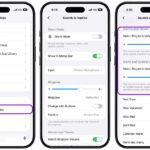
Within the Settings menu under Sounds (Settings > Sounds & Haptics), you have the ability to personalize your ringtone, text tone, and alert sounds for system applications such as Mail, Reminders and Calendar alerts.
Third-party applications will continue to use their own custom alerts if they have one. However, numerous popular apps, such as TikTok, Instagram, Snapchat and Facebook, do not incorporate custom sounds and instead use the system’s default.
You can change the default alert sound. Go to Settings > Sounds & Haptics, then under Alerts and System Sounds, tap Default Alerts and choose a sound, such as Tri-tone.
What if you get no notifications?
Try the following:
- Ensure that Notifications are enabled for the apps you are having issues with. You can check this by going to Settings > Notifications and tapping on the app.
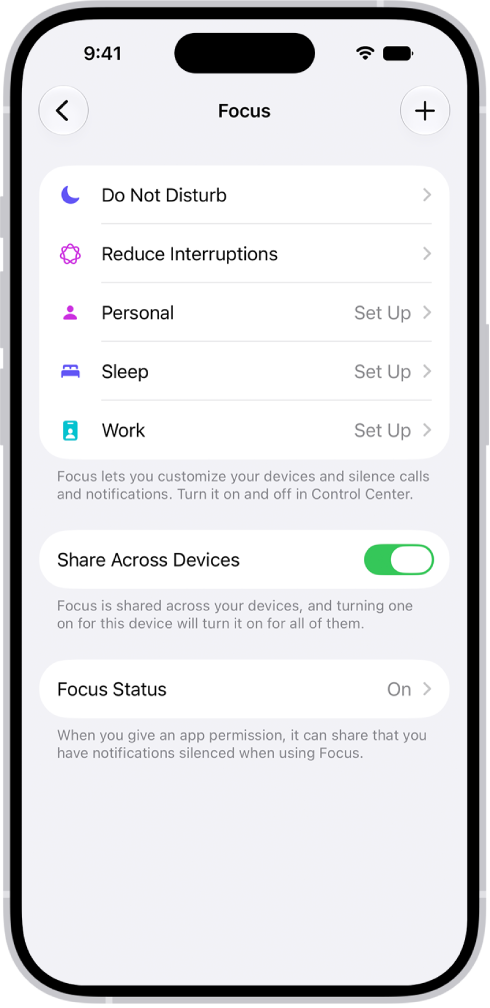
- Ensure that notifications are not silenced by a Focus mode like Do Not Disturb. You can check this by going to Settings > Focus. You will see an ON notice if one of the Focus Modes is enabled.
- Go to Settings > Notifications and then select the app that does not have notifications. Ensure that at least one alert type (Lock Screen, Notification Center and Banners) is selected.
- Restart your iPhone 18 Pro.
- Reset all settings by going to Settings > General > Transfer or Reset iPhone > Reset > Reset All Settings. This will restore all of your settings to the factory defaults, but your content will stay intact.