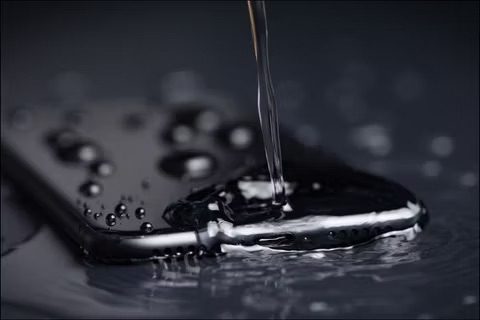
Are you worried about getting your iPhone drenched in the rain? Or perhaps you want to take it for a swim and take underwater selfies? In that case, you may want better understand how water resistance works on iPhone, and whether or not your iPhone is waterproof or water-resistant.
There’s always a strong debate between waterproof and water-resistance, but let’s make this clear. Apple doesn’t advertise any of their iPhones as "waterproof". They do say they are water resistant under certain conditions, however. The first water-resistant iPhones were the iPhone 7 and iPhone 7 Plus models both rated as IP67. For a device to be considered waterproof, it should 100% remain functional even after extended exposure to water. The water-resistant iPhones on the other hand have a limit on how long they can be safely exposed to water.
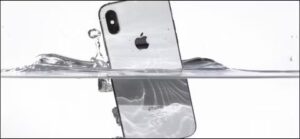
Depending on the iPhone model you own, the water-resistance capabilities may vary. In this article, we’ll thoroughly cover if your iPhone is waterproof, water-resistant, or neither.
Is the iPhone 16e waterproof?
The iPhone 16e is not waterproof. The device feature an IP68 water and dust resistance rating meaning it can withstand submersion in up to 6 meters of water for 30 minutes
Is iPhone 16, iPhone 16 Plus, iPhone 16 Pro & iPhone 16 Pro Max Waterproof?
The iPhone 16, iPhone 16 Plus, iPhone 16 Pro, and iPhone 16 Pro Max are not waterproof. These devices are rated IP68 meaning they can handle a bit of moisture, but they are not waterproof. Instead, think of them as water-resistant.
Is iPhone 15, iPhone 15 Plus, iPhone 15 Pro & iPhone 15 Pro Max Waterproof?
Like the iPhone 16, the iPhone 15, iPhone 15 Plus, iPhone 15 Pro, and iPhone 15 Pro Max have an IP rating of IP68. This means they are not waterproof. IP68 rating indicate the device’s resistance to solid particles and liquids. The first number represents the phone’s solid particle resistance on a scale of zero to six. The second number rates its liquid resistance from zero to nine. These ratings show that the iPhone 15, iPhone 15 Plus, iPhone 15 Pro, and iPhone 15 Pro Max are highly resistant to solids and liquids.
Is iPhone 14, iPhone 14 Plus, iPhone 14 Pro & iPhone 14 Pro Max Waterproof?
The iPhone 14, iPhone 14 Plus, iPhone 14 Pro, and iPhone 14 Pro Max, like the other models in the new iPhone lineup, come with an IP68 rating. The IP68 rating signifies that the phones can handle being submerged in water for up to 30 minutes at depths of up to 19 feet and can also resist dust and other small particles.
Is iPhone 13, iPhone 13 Mini, iPhone 13 Pro & iPhone 13 Pro Max Waterproof?
The iPhone 13, iPhone 13 mini, iPhone 13 Pro, and iPhone 13 Pro Max are not waterproof. However, all iPhone 13 models are water resistant with an IP68 rating. The IP68 rating on iPhone 13 indicates these phones are well protected against dust and are also water-resistant but not fully waterproof.
Is iPhone 12, iPhone 12 Mini, iPhone 12 Pro & iPhone 12 Pro Max Waterproof?
The iPhone 12, iPhone 12 Mini, iPhone 12 Pro, and iPhone 12 Pro Max are not waterproof. While the iPhone 12 models are not waterproof, they have a water-resistance rating of IP68. According to Apple, that means all iPhone 12 models can be submerged in roughly 20 feet (6 meters) of water for up to 30 minutes without being damaged. This means that you could take it for a swim and shoot underwater pictures without worrying about damaging it. Water pressure increases with depth, so make sure you don’t swim too deep for too long.
Is the iPhone 11, iPhone 11 Pro & iPhone 11 Pro Max water proof?
The iPhone 11, iPhone 11 Pro & iPhone 11 Pro Max are not waterproof, but they have a water-resistance rating of IP68. According to Apple, that means the iPhone 11 can withstand being submerged in six feet of water for up to 30 minutes, while the iPhone 11 Pro and Pro Max can be submerged in 13 feet of water for 30 minutes.
Is iPhone XS & iPhone XS Max water proof or water resistant?
The iPhone XS and iPhone XS Max are not waterproof. They have a rating of “IP68” which means they are fully protected from dust and can handle being under freshwater for up to 30 minutes at a depth of 2 metres. This is still good enough to take underwater selfies in a swimming pool without worrying too much about water damage.
Water resistance of iPhone XR, iPhone X, iPhone 8, iPhone 8 Plus, iPhone 7 & iPhone 7 Plus
All of these iPhone models have an IP67 rating meaning they can be submerged to a depth of 1 meter for up to 30 minutes. We highly wouldn’t recommend you to go swimming with one of these iPhones due to the 1-meter depth limit, but you don’t have to worry about accidentally dropping it in the bathtub or getting it drenched in the rain.
What about older iPhone models?
As for the rest of the older iPhones, don’t even think about getting it anywhere near your swimming pool. None of the older models have any sort of water-resistance. That includes iPhone 6s, iPhone 6, iPhone 6s and 6 Plus, iPhone 5s, iPhone SE (original), iPhone 5, etc. none of which are water resistant at all.
iPhone Water Damage Not Covered by Limited Warranty
Now that you know if your iPhone is water-resistant or not, there’s one important thing to keep in mind. Whether your model is IP68 rated or IP67 rated, water or any sort of liquid damage is not covered by Apple’s one-year limited warranty. So, if you’re planning to submerge your iPhone in water, do it at your own risk.
See also: Does AppleCare Cover iPhone Water Damage? Here’s The Truth!
How iPhone Water Resistance Works
The water resistance on iPhones is made possible with the help of adhesive strips that seal the interior of the device. Although this prevents liquids from penetrating, Apple states that water and dust resistance are not permanent conditions and they may degrade over time due to normal wear.
What should I do if my iPhone gets wet or submerged?
The first thing you should do is completely dry off the iPhone.
Personally, for the newest models with water resistance I like to dry them off thoroughly, including all of the ports and buttons and speakers, but if it has been in the water for a while I like to power-down the device and let it dry off.
These instructions for what to do if your iPhone 16 gets wet are intended for iPhone 16 models but they can still help with other iPhone models submerged in water or liquid for long too.
The Liquid Contact Indicators
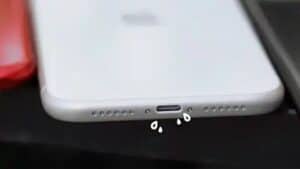
All iPhones are equipped with Liquid Contact Indicators that indicate whether the device has been in contact with water or any other liquid. You can see it for yourself by removing the SIM card tray and looking closely inside the slot. When this indicator comes in contact with water, it will fully turn red. This allows you to quickly check your iPhone has been affected by water or liquid damage. If your iPhone doesn’t have a SIM tray, you can check into the charging port.
What other options for waterproofing iPhone are there?
There are various third party cases that advertise themselves as being waterproof, or water-resistant. For example, some fancier cases claim to be waterproof enough for things like snorkeling.
You can check out on Amazon various waterproof case options for iPhone and see what may work for you.
If you’re simply looking for some quick water resistance improvement, and some general protection against splashes and gunk, you can always put your iPhone into a ziplock bag and seal it, where the touch screen will still work — this is great for situations like cooking or where your hands are dirty, but where full waterproofing isn’t required. It’ll certainly help keep the iPhone more dry and clean if you’ve got fingers full of cookie batter, grease, or if you’re splashing around near a sink. Just remember the obvious, a ziplock bag isn’t impenetrable nor perfect, it’s just a layer of thin protection that can help scatter splashes.
Now you should better understand how water resistant your iPhone is. Which iPhone model do you use? Are you willing to test out its water resistance at your own risk?