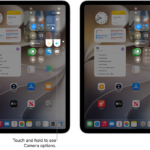
An iPhone or iPad will detect any item within Bluetooth range that is traveling with you persistently, whether the device works with Apple’s or Google’s crowdsourced ecosystem. An alert helps you take action.
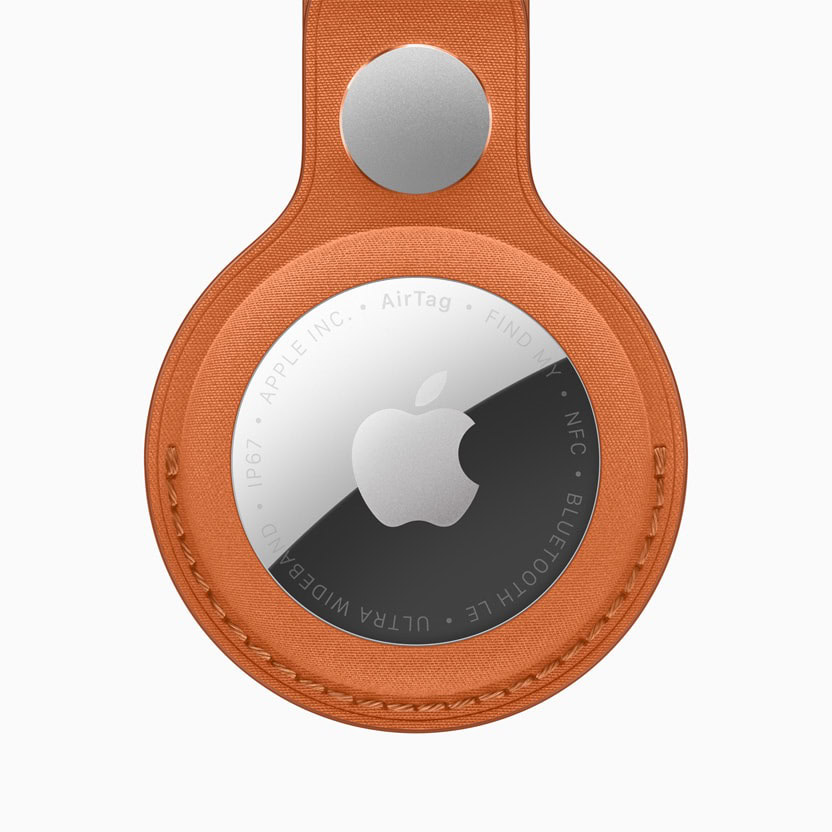
An iPhone or iPad shows an alert that reads “AirTag Found Moving with You” or “Item Detected With You,” depending on which is true. iOS 17.5/iPadOS 17.5 or later can also detect Google trackers.
You might see such an alert because you borrowed something that has an AirTag attached or hidden in it without that person sharing the item with you. For instance, my wife has a Find My item in the car she drives most frequently. We solved the problem with device sharing. See how to share an AirTag with someone else.
The name of an Apple tracker will appear as Person Name’s Name They Gave Device, like “Moses Johnson’s Wallet.” I haven’t determined where Apple pulls the name from, but likely the Apple Account associated with the device—another strong clue to or the actual identity of the tracking person. If the name isn’t retrievable, the generic model type is shown instead. Google items also reveal some identifying information, like their serial number.
Apple told me that the alert appears for someone in three particular circumstances:
- They arrive home, as defined in the Me card in Contacts.
- They arrive at a Significant Location (see sidebar ahead).
- It is the “end of the day” and they haven’t been alerted yet. Apple declined to explain when the end of the day is measured.
Apple once said they planned, in a future release, to provide alerts “sooner” than the scenarios described above. They didn’t define what “sooner” means, however, and never set a timeline for changes. It’s been years!
Because Find My items routinely change the encrypted Bluetooth ID they transmit, this recognition that an item is moving with someone has to happen over what we believe is 12 to 24 hours. Apple doesn’t disclose the interval at which the Bluetooth ID changes.
What you can do about it
The person who receives the alert can ignore it. They may know they have someone else’s Find My item with them, or they may not know why they’re receiving it, and it isn’t of interest to them.
However, the person who sees the alert can tap it to open a screen explaining why it appeared. The screen explains that “The owner can look up its location,” that they can mute the alert, that they can play a sound, and that they can get “visual guidance” to locate it. Tap Continue, and a map appears showing the track detected with a red dashed line.
This map can be viewed later by tapping the item in the Items/Unknown Items Detected With You list in the Items view; see below.
This track is made up of points at which a device has detected that the item is traveling with someone. The device knows only the time-bounded encrypted Bluetooth ID of the item and a location that the device determines.
They can now choose an option:
- Find: Find My guides you to the item, either with Precision Finding with an AirTag (see how to use Precision Finding) or imprecise location via Bluetooth.
- Play Sound: Play Sound is the rare communication that passes from a device to a Find My item. It uses Bluetooth to trigger a sound from the device to help determine its physical location. AirTags produce a mid-level volume pattern of audio; the Chipolo ONE Spot has a 120 dB emitter that is pretty impossible to not pay attention to. Other Find My items vary from loud to extremely loud.
- Pause Tracking Notifications: Pause Safety Alerts doesn’t disable tracking, but stops the device from popping up the “Detected/Moving with You” warning. Strangers can tap to disable notifications for a day; people in your Family Sharing group see the additional option to pause indefinitely. (I recommend sharing an item in this case.)
If you don’t take an immediate action on an item that’s been identified as traveling with you, it appears in the Items list in a new category, Items Detected With You.
I’d argue your best strategy is to find the device using Find and Play Sound, then use the Find My app’s ability to learn more about the item as described in how to identify an AirTag you have found.
You can use the native Find My app on an iPhone, iPad, or Apple Watch (the Find Items app) to find nearby Find My items. See how to identify an AirTag you have found.
With Android 6 or later and a 2024 update, you should receive alerts about Apple and Google tracking devices with no additional effort on your part. The message and options are similar to those on an iPhone or iPad.
There’s also a manual scanning app called Tracker Detect that Apple released for Android. It requires Android 9 or later. See how to identify an AirTag you have found.
Why an AirTag chirps alone
The iPhone or iPad requirement for the previous notification leaves out people with older hardware or who use an Android phone that doesn’t have Apple’s Tracker Detect app installed (or no smartphone at all). For them, Apple has the device itself issue a secondary warning.
Whenever an item becomes separated from its owner, it starts an internal timer. At a random point 8 to 24 hours later, the AirTag or third-party item plays a sound—but only when it’s moved. This timer is internal to the device, so it’s not reliant on other hardware tracking Bluetooth IDs over time.
Some third-party trackers produce a sound dramatically louder than the 1st-generation AirTag. Apple increased audio volume with the 2nd-generation AirTag, which the company says is 50% louder. While the company declined to answer questions about loudness and anti-stalking measures, it’s clear that the more intense sound benefits both finding an AirTag you placed intentionally and one placed without your knowledge.
This requirement that the device be moved strikes a balance between deterring stalking and allowing the use of Find My items for items that you want to remain in place without you around. Because the owner of an AirTag or other item knows where they left it the last time their paired device was nearby, the only information they can derive if it isn’t moved, is that it has remained in place. That could reveal some “negative knowledge”: that someone’s purse or car, say, remained in place. Yet, the unwanted-tracking party would never be sure whether or not it were moved and made a great racket. That risk will help deter misuse.
A great justification for the movement requirement comes from an example a friend gave me. His son wanted to put an AirTag on his bike when he parked it at school for more than eight hours at a time. If the bike started keening while left behind, this might lead passersby or university police or security to investigate.
The same is true if you’re traveling or living with other people. If you or others leave bags or items behind while elsewhere for extended periods, you and they don’t want a sound to go off in the middle of the night, say, or from an obscure closet.
Significant Locations stay on your device
Your iPhone or iPad takes note of places you frequently visit, and some others it thinks are “significant.” I went to a sushi place once, was there for a few minutes picking up takeout, and my phone decided that was significant.
Significant Locations are stored only on your devices, and are synced using end-to-end encryption. Apple says they never have access to them, and that iPhones, iPads, and Macs use them entirely on-device.
These locations are stored in Settings/System Settings > Privacy & Security > Location Services > System Services (tap on an iPhone or iPad; click Details on a Mac). The label reads Significant Locations & Routes starting in iOS 26/iPadOS 26 and Tahoe; it’s called Significant Locations in earlier releases. Tap the item or click Details next to it on a Mac. You can view the places you consider significant, disable the feature, or clear the locations currently stored.
Where to get help
There are many organizations beyond law enforcement eager to help people trapped in situations of domestic abuse or child subject to violence and an unsafe environment. For adults in the United States, that includes the National Domestic Violence Hotline; for children or those concerned about their welfare in the United States and Canada, the Childhelp National Child Abuse Hotline.
For those being stalked, one starting point is Safehope. It’s more likely you will need the help of police or federal authorities. Local police departments have their own paths to navigate, but for online or cyber stalking, it may be better to start with the FBI.
If the person you are worried about may be watching your device, use one they cannot see. Removing a tracker or turning off sharing can be noticed, and advocates warn that it can make a situation worse rather than better, so it is worth talking to someone before you act.