On 5 January, 2000, at the Macworld Expo in San Francisco, Steve Jobs unveiled Mac OS X 10.0. The full retail version shipped on 24 March, 2001, and even from the moment of its relese, it completely changed the world.
- What is the latest version of macOS?
- List of macOS versions in order
- 1. Mac OS X 10.0 Cheetah
- 2. Mac OS X 10.1 Puma
- 3. Mac OS X 10.2 Jaguar
- 4. Mac OS X 10.3 Panther
- 5. Mac OS X 10.4 Tiger
- 6. Mac OS X 10.5 Leopard
- 7. Mac OS X 10.6 Snow Leopard
- 8. Mac OS X 10.7 Lion
- 9. OS X 10.8 Mountain Lion
- 10. OS X 10.9 Mavericks
- 11. OS X 10.10 Yosemite
- 12. OS X 10.11 El Capitan
- 13. macOS 10.12 Sierra
- 14. macOS 10.13 High Sierra
- 15. macOS 10.14 Mojave
- 16. macOS 10.15 Catalina
- 17. macOS 11 Big Sur
- 18. macOS 12 Monterey
- 19. macOS 13 Ventura
- 20. macOS 14 Sonoma
- 21. macOS 15 Sequoia
- 22. macOS Tahoe 26 (2025): What’s new and why it matters
- Is there any difference between Mac OS X and macOS?
- What is the oldest macOS that is still supported?
- What version of Mac is no longer supported?
- FAQs about macOS Versions
We’ve now had 25 years of macOS releases. In the next few years, it will be three decades of the macOS, which is a little crazy to think about. That’s more than long enough to be nostalgic, so with that in mind, let’s take a look back at every macOS version release in order, their release date, their key features, and how we got to where we are today with the macOS Tahoe 26.
What is the latest version of macOS?
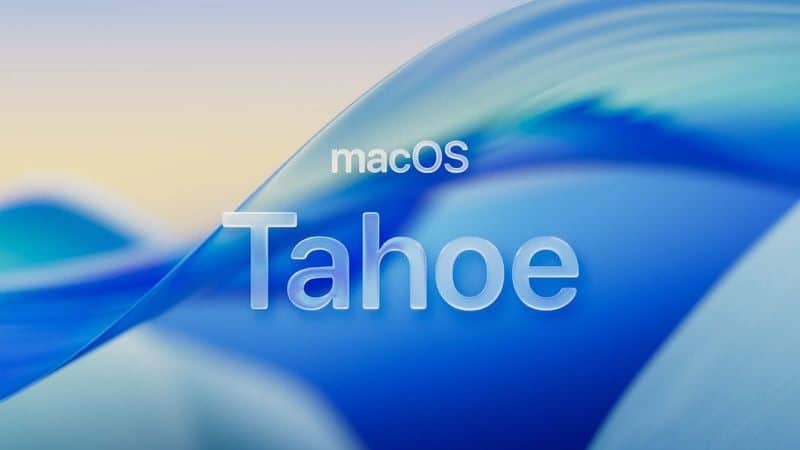
macOS Tahoe 26 is the latest version of macOS, the operating system that runs on the Mac. macOS 26 follows macOS 15, with Apple streamlining the numbering for all of its operating system updates. macOS Tahoe, like iOS 26, adopts Apple’s new Liquid Glass material design. Liquid Glass is translucent and it behaves like glass would in the real world, reflecting light and the color that’s behind it.
List of macOS versions in order
This is a complete list of macOS versions ever released. There are currently twenty-two (22) macOS versions. Below, we’ve covered every macOS version in chronological release order – from 2001’s Mac OS X Cheetah through the current 2026 macOS Tahoe. For each macOS version, we’ve included key information such as release date, features, and more.
1. Mac OS X 10.0 Cheetah
March 24, 2001
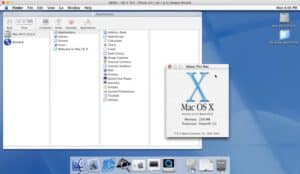
On 5 January, 2000, at the Macworld Expo in San Francisco, Steve Jobs unveiled Mac OS X 10.0. "Apple’s innovation is leading the way in personal computer operating systems once again," he told a world dominated by Windows 98. However, Mac users would have to wait more than a year for the full product to hit the shelves.
Some of the technology behind it had first appeared in Mac OS X Server 1.0 in March 1999. A hybrid of a Unix kernel, Unix-based application programming interfaces (APIs) and the existing Mac OS 8.5.1, the server software featured the Classic interface, the ‘Cocoa’ environment for running native Mac OS X Server programs and the ‘Blue Box’ environment, which would launch and run the Classic Mac OS in a window. In September 2000, Apple released the Public Beta of Mac OS X 10.0, ostensibly for the use of developers and early adopters.
Following this trial period, and responding to the feedback of 75,000 users, the full retail version shipped on 24 March, 2001. Codenamed Cheetah, it cost £99 (£74 for owners of the Public Beta). It ran on Power Macs with G3 and G4 PowerPC processors, and required 128MB of RAM, which was a sizeable leap in memory demands.
With a core comprised of the open-source Unix-based Darwin kernel, Cheetah revolutionised the Finder with a new visual appearance that offered luminous and semi-transparent elements, such as buttons, scroll bars and windows. The Dock provided access to applications, complete with fluid animation, while under the bonnet Mac OS X offered protected memory, fully internet-standard TCP/IP networking and full pre-emptive multitasking for smoother operation among multiple applications.
Apple’s new operating system offered 3D graphics and gaming via OpenGL, while the Quartz 2D engine powered text and graphics. Cheetah also introduced a stable version of Carbon, an API that allowed backward compatibility with applications written for Mac OS 8 and 9, and provided the Classic Environment to run older programs in a similar fashion to the Blue Box of the server. Around 350 Mac OS X applications were available on the day of its launch. Two months later Apple opened its first retail stores, in Virginia and California.
2. Mac OS X 10.1 Puma
September 25, 2001
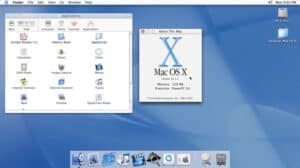
Almost four months after shipping Mac OS X 10.0, Apple previewed version 10.1, codenamed Puma. "This new version of Mac OS X is really fast, and incorporates many suggestions from our users, such as the moveable Dock that can be placed on the left, bottom or right edge of the screen," explained Steve Jobs at his Macworld Expo Keynote on 18 July. "We’ve fixed a lot of bugs, and added a lot of great new features, like burning CDs right from the Finder and the ability to seamlessly network with Windows clients and servers."
Costing £99, or free for existing Mac OS X users, Puma had enhanced system performance, especially for application launch time and window resizing. New system status icons on the menu bar provided easier access to commonly used functions, convenient monitoring of wireless networks and battery charging. Sending, receiving, opening and reading files became easier with the new automated file extension management capability, and there was a DVD player with the ability to burn DVD-R data discs directly in the Finder. Puma also introduced ColorSync 4.0 with support for ICC colour management and easier printing, while there were enhancements to AppleScript, OpenGL and audio capabilities, as well as an improved iDisk based on WebDAV.
Major Mac OS X applications available at launch included Intuit Quicken Deluxe 2002, Alias/Wavefront’s Maya, Internet Explorer 5.1, Adobe Acrobat Reader 5.0, Macromedia FreeHand 10, Aspyr’s Tony Hawk’s Pro Skater 2, Aladdin’s Stuffit Deluxe, Pro Create Painter 7, FileMaker Pro, and a host of products from Symantec.
QuarkXPress and Adobe Photoshop were still notable by their absence from the roster, though a greatly anticipated application was Microsoft’s Office v.X for Mac.
A month after the launch, Apple introduced "the iPod — a breakthrough MP3 music player that stores up to 1,000 CD-quality songs on its super-thin 5GB hard drive."
3. Mac OS X 10.2 Jaguar
August 23, 2002
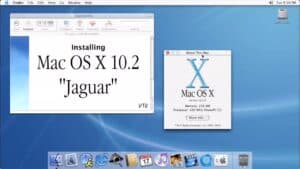
Previewed in May 2002 by Steve Jobs at Apple’s worldwide developers conference (WWDC) in San Jose, California, Mac OS X 10.2 Jaguar, introduced a host of new features. These included: Quartz Extreme, a hardware accelerated version of the Quartz graphics and compositing engine; an enhanced Finder, with spring-loaded folders and instant searching; and version 6 of QuickTime, making it the first complete solution for industry standard MPEG-4 video and AAC audio streaming.
Jaguar was the first Apple operating system to come with Rendezvous (since renamed Bonjour), a technology that locates other devices on an IP network, such as computers, and lets other users access their services. There was also increased Windows network interoperability with SMB browsing and sharing, as well as built-in PPTP VPN security. Apple’s AIM-compatible instant messaging software, iChat, was built into Mac OS X and integrated with the new Mail and Address Book applications. Jaguar also shipped with Unix tools for developers, while the 18-year-old Happy Mac startup icon was replaced by the Apple logo.
Adverts extolling the benefits for Windows users, who could ‘switch’ to the Mac had been running all year, but Apple had not yet addressed the fact that only around 10 per cent of the 20 million existing Apple users had switched to Mac OS X as their primary operating system. Meanwhile, Windows XP, which shipped just after Mac OS X 10.1, had sold more than 50 million licences in under a year.
Jaguar’s launch was marked by late night kick-off events at the 35 Apple retail stores in the US. Around 100,000 copies of the £99 software were sold worldwide in the first weekend. "Jaguar is our fastest out-of-the-gate OS release ever, and it’s looking like a home run," Steve Jobs said about the sales figures. "The reviews are off the charts, and customers are raving about Jaguar’s stability, speed, new features and Windows compatibility."
At September’s Apple Expo Paris, Apple announced that from January 2003, all new Mac models would only boot into Mac OS X, though they would be able to run Mac OS 9 applications through the Classic software.
4. Mac OS X 10.3 Panther
October 24, 2003
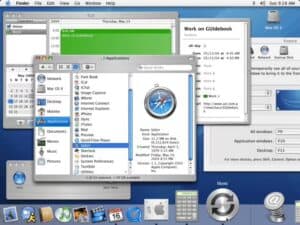
The year began with Apple launching a raft of products, among them Safari, iLife, Keynote, Final Cut Express, X11, the groundbreaking 12in and 17in PowerBook G4 models, and the Xserve RAID storage system was introduced. Al Gore joined Apple’s board of directors. The iTunes Music Store appeared in April and sold over a million songs in its first week. There were seven million Mac OS X users by the middle of the year, which also saw the introduction of the Power Mac G5, featuring the world’s first 64-bit desktop processor and the industry’s first 1GHz front-side bus.
However, the announcement of a new version of the operating system was delayed until the WWDC in June, with Mac OS X 10.3 Panther finally shipping on 24 October. "Panther sets the new gold standard for operating systems," explained Steve Jobs. "With more than 150 new features, we’re delivering innovations today that will not be seen in any other operating system for years to come."
One of these was Exposé, a revolutionary way to instantly view all open windows by reducing their size so that they all fit on a Mac’s screen. Powered by the Quartz graphics engine, Exposé proved to be a breakthrough in working with multiple files, applications and projects. The new Finder provided one-click access by putting a user’s favourite folders, storage, servers and iDisk in one convenient location, while offering dynamic browsing of the network for Mac, Windows and Unix file servers. Fast User Switching allowed several people to use the same Mac without having to quit applications or log out.
Panther also introduced FileVault, a 128-bit encryption technology designed to ensure that data in the home directory is kept secure, and Font Book to provide system-level font management. Enhancements were made to Preview, Address Book, iDisk and Mail, while Windows compatibility increased, so files, printers and network services could be shared with Windows users.
The price of the operating system remained at £99 and its speed increases were widely welcomed.
5. Mac OS X 10.4 Tiger
April 29, 2005
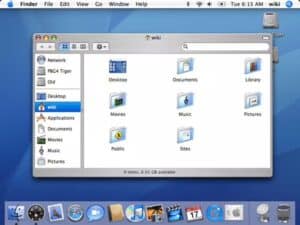
"Mac OS X Tiger will come out long before Longhorn," claimed Steve Jobs in January 2005 at the San Francisco Macworld Expo. He was referring to the codename for the Microsoft operating system that would eventually emerge as Windows Vista.
First announced at WWDC in June 2004, Tiger finally shipped on 29 April, 2005, at a reduced price of £89, prompting Jobs to proclaim that: "Mac OS X Tiger is the most innovative and secure desktop operating system ever created. Tiger’s groundbreaking new features like Spotlight and Dashboard will change the way people use their computers, and drive our competitors nuts trying to copy them."
Tiger required a minimum 256MB of memory and was designed to run on any Mac with a PowerPC G5, G4 or G3 processor, and built-in FireWire. As well as search tool Spotlight and widget access utility Dashboard, Tiger introduced native 64-bit application support. It included QuickTime 7, which supported the H.264 video codec, live video resizing, zero-configuration streaming and extensive surround sound, while the revamped iChat offered dramatically better picture quality over the same internet bandwidth.
The Automator workflow application allowed users to automate repetitive tasks without complex programming and Safari gained a full-featured RSS reader. Mail 2 was revamped with a new user interface, Spotlight searching, and .Mac syncing, plus you could now view emailed images as a full-screen slideshow. Apple introduced Xgrid for distributed computing tasks, while Core Image and Core Video were introduced to provide the foundation for new image and video processing applications.
"Mac OS X Tiger is a giant leap over its predecessor, Panther," lauded PC World’s Narasu Rebbapragada. "For me, the Spotlight search and Smart Folders features are worth the purchase price."
Jobs was correct in his prediction, as Windows Vista shipped in 2006, and offered new security controls, new search facilities and a brand new design. In June 2005, the two millionth copy of Tiger was sold, and Apple announced a move to use Intel processors in all Macs by the end of 2007.
6. Mac OS X 10.5 Leopard
October 26, 2007
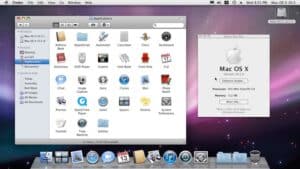
Previewed at WWDC in August 2006, Mac OS X 10.5 Leopard offered around 300 new features. Chief among these was Time Machine, a utility that automatically backed up your files in case they need to be restored later; Spaces, a new way to switch between groups of applications required for various tasks; and Boot Camp, which made it possible to run Windows natively on Intel-based Macs. Core Animation, a new graphics technology made it easy to create visual effects and animations, and joined major enhancements in Universal Access and new features in Mail and iChat. The redesigned 3D Dock with Stacks offered a new way to organise files for quick and easy access with just one click, while Quick Look offered instant full-screen, high-resolution views of virtually anything, even media files, from any view in the Finder.
"Breakthrough features like Time Machine and Spaces are good examples of how Mac OS X leads the industry in operating system innovation", said Steve Jobs. "While Microsoft tries to copy the version of OS X we shipped a few years ago, we’re leaping ahead again with Leopard".
"In my view, Leopard is better and faster than Vista, with a set of new features that make Macs even easier to use," wrote Walt Mossberg in The Wall Street Journal. Meanwhile Claudine Beaumont, writing in The Daily Telegraph, said of Time Machine: "It’s simple and intuitive, and the clever graphical user interface makes restoring files much easier than rifling through root directories or complicated menus. This feature is worth the money on its own, especially if your usual ‘housekeeping’ routines leave something to be desired."
While maintaining full performance and compatibility for existing 32-bit Mac OS X applications and drivers, Leopard also allowed applications to take complete advantage of native 64-bit processing. This was in keeping with both Windows Vista and Linux, which were already taking advantage of this technology. Leopard ran on both PowerPC and Intel Macs, but support for the G3 processor was dropped.
At the other end of the scale, Jobs unveiled the iPhone to an unsuspecting public on 9 January, 2007 at Macworld Expo.
7. Mac OS X 10.6 Snow Leopard
August 28, 2009
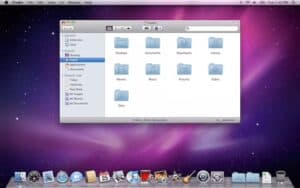
"We have delivered more than a thousand new features to OS X in just seven years and Snow Leopard lays the foundation for thousands more", said Bertrand Serlet, Apple’s senior vice president of software engineering at the now traditional OS preview at 2009’s WWDC. "In our continued effort to deliver the best user experience, we hit the pause button on new features to focus on perfecting the world’s most advanced operating system".
Launched just over a year after Leopard, Mac OS X 10.6 Snow Leopard offered 64-bit versions of applications including Mail, iCal, iChat and Finder (completely rewritten in Apple’s native Cocoa API). In order to take advantage of multi-core processors, Grand Central Dispatch (GCD) was integrated throughout the operating system, from new system-wide APIs to high-level frameworks and programming language extensions. It could take advantage of the power of graphic processing units (GPUs) using OpenCL, a C-based open standard. Snow Leopard included QuickTime X, which featured a redesigned full-screen player that allowed users to easily view, record, trim and share video, as well as a 64-bit version of Safari 4 that was up to 50 per cent faster and resistant to crashes caused by plug-ins. It also featured built-in support for Microsoft Exchange Server 2007, the only desktop operating system to do so. However, it would only run on Intel-based Macs with at least 1GB of RAM.
Snow Leopard was released as an upgrade for Mac OS X Leopard users for £25, was half the size of the previous version and freed up to 7GB of drive space once installed. "The combination of the refinements, the performance enhancements and the new features means that paying the asking price is a no-brainer," reported The Guardian. In the meantime, Apple sold its one millionth iPhone 3G just three days after its launch on 11 July, 2008. This feat was repeated by the 3GS, which also racked up sales of over one million within three days of its launch on 18 June, 2009. Meanwhile, the App Store swelled to over 100,000 apps, with over two billion downloads by Q3 2009.
8. Mac OS X 10.7 Lion
July 20, 2011
Previewed at Apple’s "Back to the Mac" event on 20 October, 2010, Mac OS X 10.7 Lion was officially announced at WWDC 2011 with a summer release date. The final version arrived on 20 July, 2011, exclusively through the Mac App Store for $29.99 (£20.99), marking a significant shift in distribution strategy.
"With Lion, the Mac learns a lot of great ideas from iPad and becomes the best Mac ever," explained Steve Jobs. Lion brought over 250 new features, many inspired by iOS, to create a more cohesive experience across Apple’s ecosystem.
The operating system required an Intel Core 2 Duo processor or better, dropping support for all PowerPC Macs and the early Core Duo models from 2006. This was the first version of Mac OS X to be 64-bit only, requiring at least 2GB of RAM and 7GB of available storage space.
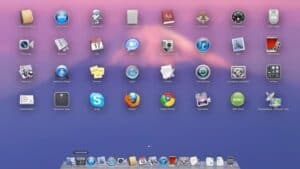
Launchpad made its debut, offering an iOS-style grid view of installed applications with support for folders and multiple pages. Mission Control unified Exposé, Dashboard, Spaces and full-screen apps into a single interface for managing open windows and virtual desktops. Full-screen apps became a system-wide feature, allowing applications to take over the entire display with a simple gesture or button click.
Multi-touch gestures were significantly expanded, with new swipe, pinch and rotate actions that made trackpad navigation feel more natural and iOS-like. The new autohiding scrollbars mimicked iOS behaviour, appearing only when needed and saving screen real estate. Resume allowed apps to reopen in exactly the state they were in when closed, while Auto Save eliminated the need to manually save documents in compatible applications.
AirDrop introduced wireless file sharing between nearby Macs without requiring a Wi-Fi network, using direct peer-to-peer connections with encryption for security. Mail 5 introduced Conversations view, grouping related messages together in a threaded format similar to iOS Mail.
Versions, a Time Machine-like feature for documents, allowed users to browse and restore previous iterations of their work. The new autosaving and versioning system fundamentally changed how Mac users interacted with their documents, though it proved controversial among some professional users who preferred traditional file management.
Apple reported over one million Lion sales on the first day, and by October 2011, the operating system had sold over six million copies worldwide. "The Mac App Store makes updating to Lion wonderfully easy," reported Macworld’s Jason Snell. "It’s the easiest OS upgrade I’ve ever done."
However, Lion wasn’t without its critics. Rosetta, which allowed PowerPC applications to run on Intel Macs, was removed entirely, rendering older software incompatible. Front Row, Apple’s media centre interface, was also discontinued.
Mac OS X 10.7.1 was the last version released under Steve Jobs, who stepped down as CEO in August 2011 and passed away on 5 October, 2011. Subsequent updates were released under Tim Cook’s leadership, including 10.7.5 which introduced Gatekeeper, Apple’s new application security feature.
9. OS X 10.8 Mountain Lion
July 25, 2012
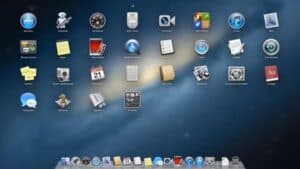
Announced on 16 February, 2012, just seven months after Lion’s release, OS X 10.8 Mountain Lion signalled a shift to annual operating system updates. The name itself suggested its nature as a refinement release rather than a revolutionary overhaul.
"OS X Mountain Lion further advances the integration between iOS and OS X," said Craig Federighi, Apple’s senior vice president of Software Engineering at the preview event. "Mountain Lion introduces many of the technologies developed for iOS right into the Mac."
Released on 25 July, 2012, for $19.99 (£13.99), Mountain Lion was the last paid upgrade for OS X. The operating system sold three million copies in the first four days, making it Apple’s most successful OS X release at that point. System requirements remained identical to Lion: an Intel Core 2 Duo or better, 2GB of RAM, and 8GB of storage.
The centerpiece was Notification Center, borrowed directly from iOS 5, which consolidated alerts from Messages, Mail, Calendar, and third-party apps in a slide-out panel accessible from the menu bar. Messages replaced iChat, adding support for iMessage alongside traditional instant messaging protocols, allowing Mac users to send and receive iMessages to iOS devices seamlessly.
Game Center made its Mac debut, bringing achievements, leaderboards and multiplayer matchmaking to the desktop. However, initial adoption was slow, with few games supporting the service at launch. Notes and Reminders became standalone applications, separating from Mail and iCal respectively, with full iCloud synchronisation across devices.
Gatekeeper, a new security system, helped protect against malware by verifying applications before they could run. Users could choose to allow apps only from the Mac App Store, from identified developers, or from anywhere, giving flexibility while improving security.
AirPlay Mirroring allowed Macs to wirelessly stream their display to Apple TV, bringing iOS-style screen sharing to the desktop. Power Nap, available on newer Macs, allowed the computer to perform Time Machine backups, download software updates and sync iCloud data while sleeping.
The share button, another iOS import, made it simple to post content to social networks or send files via email and Messages directly from applications. Twitter was deeply integrated into the operating system, with Mountain Lion 10.8.2 adding similar Facebook integration.
Safari 6 introduced a unified search and address bar, following the lead of Chrome and Internet Explorer, while improving privacy with a Do Not Track feature. iCloud integration deepened throughout the system, with Documents in the Cloud allowing apps to store files that automatically synced across devices.
"Mountain Lion is a gentle, thoughtful upgrade," wrote David Pogue in The New York Times. "All 200 new features? No, not really. But 10 that you’ll use every day? For $20? Yes."
The update wasn’t without issues. Battery life complaints emerged from MacBook users, and WiFi connectivity problems plagued some installations. Apple released Mountain Lion 10.8.1 in August 2012 to address these concerns, though battery life improvements recovered only about half of what had been lost.
10. OS X 10.9 Mavericks
October 22, 2013
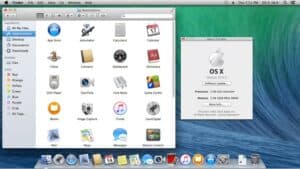
Announced at WWDC 2013 on 10 June, OS X 10.9 Mavericks marked two historic milestones: it was the first Mac operating system offered as a completely free upgrade, and it abandoned the feline naming convention that had defined OS X since 2001 in favour of California locations.
"We want everyone to be able to enjoy Mavericks," said Craig Federighi during the October 22 announcement. "So for the first time we’re making an OS X release available free of charge." The decision to make Mavericks free fundamentally changed how users approached updates, with adoption rates increasing dramatically.
Named after the surfing location in Northern California, Mavericks required the same hardware as Mountain Lion: any Mac capable of running OS X 10.8, with 2GB of RAM and 8GB of storage. All future OS X and macOS releases would continue this free model.
Rather than flashy new features, Mavericks focused on power efficiency, performance improvements and under-the-hood refinements. App Nap intelligently conserved power by slowing down background apps that weren’t visible, extending battery life significantly on portable Macs. Compressed Memory reduced RAM usage by compressing inactive data, allowing Macs to run more applications smoothly.
Timer Coalescing grouped system tasks together to allow the processor to idle for longer periods, further improving energy efficiency. Apple claimed MacBook Air battery life improved by up to one hour for general use, and Safari browsing time increased by up to 40 minutes.
Finder gained tabs, finally bringing tabbed browsing to file management after years of requests from users. Tags replaced the older Labels system, allowing users to assign multiple colour-coded categories to files and folders for improved organisation. A new full-screen mode for Finder windows made file management more immersive.
Maps and iBooks made their Mac debut, bringing iOS applications to the desktop with full iCloud synchronisation. The Maps app offered turn-by-turn directions that could be sent to an iPhone, while iBooks synced reading position, notes and highlights across devices.
Safari 7 introduced a new sidebar featuring shared links from Twitter and LinkedIn, while Top Sites was redesigned with a sleek new appearance. The browser became noticeably faster and more power-efficient, extending battery life during web browsing.
Multiple display support was completely overhauled. Each display could now have its own menu bar and Dock, and full-screen apps could be assigned to any screen without leaving the other displays empty. Apple TV could function as a wireless display through AirPlay.
Calendar received a fresh interface with improved month view and an updated inspector. Notification Center gained the ability to reply to messages and emails directly from notifications, and websites could now send push notifications through Safari.
iCloud Keychain debuted, securely storing passwords, credit card information and Wi-Fi passwords across devices with 256-bit AES encryption. Enhanced dictation became available offline after downloading a language pack, removing the need for an internet connection.
"Mavericks is a gentle evolution of the Mac operating system," concluded The Verge. CNET praised it as "a solid foundation to OS X," noting that while it lacked headline-grabbing features, the free upgrade made it an essential download.
Some users experienced issues with Gmail in Mail, though Apple quickly addressed these with software updates. The shift from local sync services to mandatory iCloud syncing for iOS devices initially frustrated users, but Apple restored local syncing capabilities in the 10.9.3 update.
11. OS X 10.10 Yosemite
October 16, 2014
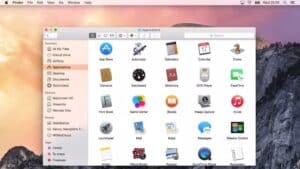
Announced at WWDC 2014 on 2 June, OS X 10.10 Yosemite delivered the most significant visual redesign of the Mac interface since Mac OS X 10.0 Cheetah in 2001. Named after Yosemite National Park, the operating system was released on 16 October, 2014, continuing the tradition of free updates established by Mavericks.
"Yosemite is an aesthetic one-way valve," wrote John Siracusa for Ars Technica. "Switching back to Mavericks after a week or two in Yosemite is like returning to iOS 6. Everything looks embarrassingly chunky, glossy, and gaudy."
The design overhaul embraced the flat, translucent aesthetic introduced in iOS 7, eliminating the last remnants of skeuomorphism from OS X. The new interface featured translucent sidebars, flatter icons, refined typography and a redesigned Dock. Helvetica Neue replaced Lucida Grande as the default system font, though this would only last one version before changing to San Francisco.
A system-wide dark mode made its debut, turning the Dock and menu bar dark while leaving windows in light mode. Redesigned icons matched the iOS 7 and iOS 8 aesthetic, creating visual consistency across Apple’s platforms.
Continuity was Yosemite’s headline feature, creating unprecedented integration between Mac and iOS devices. Handoff allowed users to start an email, document or web page on one device and seamlessly continue on another. The Mac could now make and receive iPhone calls, with incoming calls appearing as notifications that could be answered directly from the Mac.
SMS and MMS forwarding meant all text messages, not just iMessages, appeared on the Mac through the Messages app. Instant Hotspot allowed Macs to automatically detect and connect to nearby iPhones’ personal hotspots without entering passwords.
Spotlight was completely reimagined, moving from its corner position to a centre-screen search interface. It could now search the web, display Wikipedia articles, find content in the App Store, iTunes and iBooks, perform calculations and conversions, and show sports scores and stock prices.
iCloud Drive replaced the previous iCloud document storage, making cloud files accessible through Finder alongside local files. The service worked with Windows PCs, broadening its utility beyond the Apple ecosystem.
Safari 8 introduced a streamlined interface with no separate search field, unified tab bar improvements and enhanced privacy features. Mail gained Markup tools for annotating PDFs and images, and Mail Drop for sending large attachments through iCloud.
The Photos app was announced for release in early 2015 as a replacement for iPhoto and Aperture, with a modern interface and deep iCloud integration. When it arrived with OS X 10.10.3 in April 2015, Photos fundamentally changed how Mac users managed their photo libraries.
Metal, Apple’s new graphics API, made its Mac debut, offering up to 10 times better draw-call performance compared to OpenGL. This low-level API gave developers direct access to the GPU, dramatically improving gaming and graphics-intensive application performance.
System requirements matched previous versions: any Mac capable of running Mountain Lion could run Yosemite, though Continuity features required Macs from 2012 or later with Bluetooth 4.0.
Yosemite wasn’t without problems. WiFi connectivity issues plagued many users, causing dropped connections and slow speeds. The discoveryd DNS system proved unreliable, prompting Apple to revert to mDNSResponder in version 10.10.4.
"Yosemite delivers a fresh, modern look and introduces Continuity features that make it easy to hand off activities between Mac and iOS devices," proclaimed Apple’s marketing. The design changes were divisive initially, but the flat aesthetic would define macOS for years to come.
12. OS X 10.11 El Capitan
September 30, 2015
Announced at WWDC 2015 on 8 June, OS X 10.11 El Capitan took its name from the iconic granite rock formation in Yosemite National Park. Released on 30 September, 2015, El Capitan followed the refinement model established by Snow Leopard and Mountain Lion, focusing on performance and polish rather than revolutionary features.
"We’ve refined the experience and improved performance throughout the system," explained Craig Federighi. Apple marketed the release as containing "refinements to the Mac experience" and "improvements to system performance," setting expectations for an iterative update.
The performance improvements were substantial. Application launches were up to 1.4 times faster, app switching was twice as fast, and PDF rendering in Preview was four times quicker. Mail opened messages twice as fast, and first-launch time for commonly used apps improved noticeably.
Metal for Mac, introduced in Yosemite, became available to all Macs from 2012 onwards, bringing advanced graphics capabilities to a wider range of hardware. System rendering moved to Metal on compatible Macs, improving window server performance and reducing energy consumption.
Split View transformed window management, allowing two full-screen apps to share the screen side-by-side. Users could drag a window to the edge of the screen or click and hold the green window button to enter Split View, with the ability to resize the division between windows.
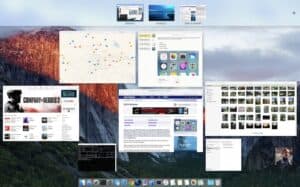
Mission Control received a clearer, less cluttered interface with windows from the same app grouped together. The overview showed Spaces thumbnails at the top and open windows below, making it easier to navigate multiple desktops and applications.
Spotlight gained natural language support, allowing queries like "documents I worked on in July" or "presentations about quarterly results." The search understood date ranges, file types, and contextual relationships between items.
Safari 9 introduced pinned sites, keeping frequently visited websites always accessible in the tab bar. An audio indicator showed which tabs were playing sound, with the ability to mute individual tabs. Safari became noticeably faster and more energy-efficient.
Notes transformed from a basic text application into a powerful productivity tool with rich formatting, checklists, embedded photos and videos, sketches, and map locations. Notes synced via iCloud and included a secure notes feature with password or Touch ID protection.
Mail gained full-screen swipe gestures, making it easy to delete, archive or mark messages as read with a simple swipe. Mail could now display tabs like Safari, and the compose window could be minimised to the bottom of the screen.
The system font changed to San Francisco, Apple’s new typeface designed specifically for clarity at small sizes. San Francisco would become the standard font across all Apple platforms, remaining in use to this day.
Photos app improvements arrived with version 1.1, adding support for third-party extensions, improved editing tools and better iCloud Photo Library performance. The Memories feature would arrive in later updates.
El Capitan introduced System Integrity Protection (SIP), also known as "rootless mode," which restricted what even administrative users could do to critical system files and processes. This security enhancement protected against malware and accidental system modifications.
System requirements remained unchanged from Yosemite, making El Capitan compatible with Macs from 2007 and later, provided they had 2GB of RAM and 8.8GB of storage space.
"El Capitan represents Apple’s determination to make OS X not just pretty, but properly fast and functional," reported TechRadar. The focus on performance and stability was widely praised, with many users considering it one of the most reliable OS X releases.
13. macOS 10.12 Sierra
September 20, 2016
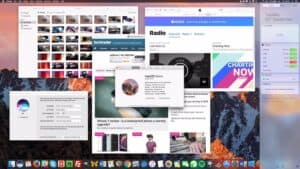
Announced at WWDC 2016 on 13 June, macOS 10.12 Sierra marked a significant rebranding milestone: after 15 years, "OS X" became "macOS," aligning the Mac operating system name with iOS, watchOS and tvOS. The new name emphasised the Mac’s place within Apple’s broader ecosystem while maintaining its distinct identity.
Sierra was released on 20 September, 2016, as a free update, continuing Apple’s commitment to accessible operating system upgrades. Named after the Sierra Nevada mountain range in California, it ran on most Macs from 2009 and later, requiring 2GB of RAM and 8.8GB of storage.
"We’re bringing Siri to the Mac," announced Craig Federighi to enthusiastic applause at WWDC. Siri’s arrival was Sierra’s marquee feature, allowing voice control and information queries directly from the Mac. Users could ask Siri to find files, search the web, send messages, control music playback and adjust system settings. Siri sat in the menu bar and Dock, with results that could be pinned to Notification Center for quick reference.
Apple Pay came to Safari, allowing users to complete purchases on participating websites using Touch ID on their iPhone or Apple Watch for authentication. This brought the convenience of contactless payment to online shopping without requiring users to enter credit card details.
Universal Clipboard enabled seamless copy and paste between Mac and iOS devices. Content copied on an iPhone automatically appeared in the Mac’s clipboard and vice versa, using Continuity to sync data across devices.
Auto Unlock used the Apple Watch to automatically log users into their Mac when nearby, eliminating the need to type passwords. The feature worked reliably within a few meters, making it convenient while maintaining security.
Optimized Storage helped manage disk space by automatically moving older files to iCloud, emptying the Trash automatically and removing watched iTunes movies and TV shows. The system could identify large files and downloads, making it easy to review and delete unnecessary data.
Tabs came to more apps including Maps, Mail, TextEdit and Pages, bringing consistency to the interface and reducing window clutter. Picture-in-Picture video allowed users to watch a video in a floating window that stayed on top of other apps, resizable and moveable to any corner of the screen.
Photos received significant updates with the introduction of Memories, which automatically created curated collections of photos and videos from specific events, trips or time periods. Advanced facial recognition improved People identification, and a new Memories tab organised photos into meaningful collections.
Messages gained rich links, displaying preview images and information for shared URLs. Invisible ink, larger emoji, message effects and bubble effects arrived alongside new sticker packs and the ability to play full-screen animations.
iCloud Drive Desktop and Documents syncing automatically backed up and synchronised files from the Desktop and Documents folders across all Macs, making them accessible via iCloud.com and iOS devices. While convenient, some professional users found this feature intrusive when it moved local working files to the cloud.
Sierra introduced Apple File System (APFS) in preview form for developers, though it wouldn’t become the default until High Sierra. The modern file system was designed specifically for solid-state storage and flash memory.
System requirements dropped support for some 2008 and early 2009 Macs that could run El Capitan, making Sierra compatible with:
- MacBook from late 2009 or later
- MacBook Air from late 2010 or later
- MacBook Pro from mid 2010 or later
- Mac mini from mid 2010 or later
- iMac from late 2009 or later
- Mac Pro from mid 2010 or later
"With Sierra, Apple has brought Siri to the Mac in a way that makes sense," observed Macworld. "Rather than being a gimmick, it genuinely improves productivity." The operating system received generally positive reviews, with Siri integration, Apple Pay and Photos improvements being particular highlights.
14. macOS 10.13 High Sierra
September 25, 2017
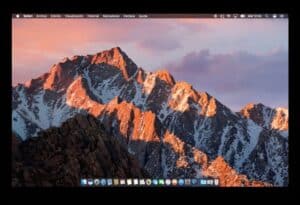
Announced at WWDC 2017 on 5 June, macOS 10.13 High Sierra followed the refinement naming pattern of Snow Leopard, Mountain Lion and El Capitan. Named after the region around the High Sierra Camps in Yosemite, it was released on 25 September, 2017, as a free update focused on foundational technologies rather than flashy features.
"High Sierra refines the features and apps you use every day," explained Craig Federighi. "It also includes groundbreaking new storage, video and graphics technologies that will have far-reaching implications for the platform."
The centrepiece was Apple File System (APFS), which replaced HFS as the default file system for SSDs, flash storage and Fusion Drives. APFS brought native encryption, space sharing, fast directory sizing and improved file system fundamentals. The conversion from HFS to APFS happened automatically during installation, with users barely noticing the transition.
APFS optimised for solid-state storage delivered improved performance, especially for common operations like duplicating files and directories. Native support for 64-bit inode numbers and space sharing between volumes made the file system more efficient and future-proof.
Metal 2 introduced significant graphics improvements, enabling machine learning, external GPU support and enhanced VR capabilities. The API offered up to 10 times improved draw call throughput and new features for professional applications, games and creative software.
High Efficiency Video Coding (HEVC) support enabled 4K video playback at up to 40% better compression than H.264, while maintaining the same visual quality. This video codec support extended battery life during video playback and reduced file sizes for 4K content.
Safari 10.1 became faster and more intelligent, with Intelligent Tracking Prevention limiting cross-site tracking. The browser prevented ads from following users around the web, improving privacy without breaking website functionality. Autoplay blocking stopped videos from playing automatically with sound.
Photos gained new professional editing tools, including a curves adjustment for fine-tuning colour and contrast, and selective colour adjustments. The Photos sidebar was redesigned, making it easier to access tools and adjust settings. Live Photos editing allowed trimming, adding filters and choosing the key photo.
High Dynamic Range (HDR) support arrived in Photos, with the ability to edit HDR images and view them on compatible displays. The app could now import and edit images from professional cameras in their native formats.
Mail improvements included split-screen view, making it easier to work with multiple messages simultaneously. The app became faster and used less storage space, with improved search and message loading performance.
Siri gained a more natural voice with improved intonation and expression. The virtual assistant could now translate phrases into multiple languages, though this feature was limited compared to iOS. Siri learned about music tastes to offer better recommendations and could control Apple Music with voice commands.
FaceTime received support for Live Photos, capturing a still photo during video calls with one click. The photos captured both sides of the conversation simultaneously, preserving the moment.
Notes finally gained support for tables, making it easier to organise information in a structured format. Pinned notes stayed at the top of notes lists for quick access to important information.
High Sierra introduced a critical security flaw involving the root user account that allowed anyone to gain administrative access without a password. Apple issued an emergency security update within 24 hours of the vulnerability becoming public, but the incident highlighted the challenges of annual release schedules.
System requirements matched Sierra, maintaining compatibility with Macs from late 2009 onwards. However, Metal 2 features required Metal-capable GPUs, limiting some functionality to newer hardware.
"High Sierra isn’t the flashiest update," noted The Verge, "but the foundational improvements will benefit Mac users for years to come." APFS and HEVC support particularly positioned macOS for the future of storage and video technologies.
15. macOS 10.14 Mojave
September 24, 2018
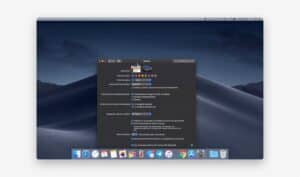
Announced at WWDC 2018 on 4 June, macOS 10.14 Mojave took its name from the Mojave Desert in Southern California. Released on 24 September, 2018, as a free update, Mojave introduced the system-wide Dark Mode that users had requested for years, alongside productivity enhancements and several iOS apps making the leap to Mac.
"Dark Mode is a dramatic new look that helps you focus on your work," said Craig Federighi. The mode transformed the entire interface, from system menus and windows to built-in applications, using dark colours throughout. Dynamic Desktop wallpapers changed throughout the day, shifting from daytime to nighttime images based on local time.
Dark Mode wasn’t merely cosmetic—developers could easily implement it in their apps, and the system automatically switched between light and dark appearances based on the wallpaper or time of day. The feature proved immediately popular, with many users switching permanently to dark mode.
Desktop Stacks automatically organised desktop files into neat groups by type, date or tag. The feature tamed cluttered desktops, keeping files accessible while maintaining a clean appearance. Clicking a stack expanded it to show all contained files.
Finder gained Gallery View, a new way to browse files with large previews and metadata displayed in a sidebar. Cover Flow view was effectively replaced by this more functional alternative. The Preview pane showed file information, Quick Actions and editing tools.
Quick Actions in Finder allowed users to rotate images, create PDFs, trim videos and run custom Automator workflows without opening applications. Markup tools appeared directly in Quick Look, enabling annotations on PDFs and images instantly.
Screenshot tools were completely redesigned with an on-screen control panel showing options for capturing the entire screen, a window, or a selected portion. Screen recording became a native feature without requiring QuickTime Player. The new interface made screenshots more intuitive for casual users.
Continuity Camera integrated iPhone and iPad cameras with Mac apps. Users could take a photo or scan a document on their iOS device, and it automatically appeared in the document they were working on—whether that was Pages, Keynote, Mail or any compatible application.
News, Stocks, Voice Memos and Home apps arrived from iOS, bringing the total of ported apps to four. These apps used a new framework that made it easier for developers to bring iPad apps to Mac, though they sometimes felt like compromises rather than true Mac applications.
FaceTime group calling supported up to 32 participants simultaneously, with participants appearing in tiles that expanded when someone spoke. However, the feature arrived with significant bugs, including a critical privacy flaw that allowed callers to hear audio before the recipient answered. Apple temporarily disabled the feature and issued a fix.
Safari 11.1 gained Intelligent Tracking Prevention 2.0, which blocked social media tracking widgets from following users across websites. The browser also introduced automatic strong password generation and flags for reused passwords, warning users about weak security practices.
Security improvements extended beyond Safari. Mojave required apps to request permission before accessing the camera, microphone, Mail database, Messages history, Time Machine backups, and certain system data. These privacy protections gave users more control over what information apps could access.
Mac App Store was completely redesigned with a new interface featuring editorial content, top charts, video previews and curated collections. The new store made app discovery easier and felt more modern, though some users missed the simpler previous design.
Metal became a requirement for Mojave, with Macs needing Metal-capable GPUs to run the operating system. This eliminated support for some 2009 and 2010 Macs that could run High Sierra. Compatible Macs included:
- MacBook from early 2015 or later
- MacBook Air from mid 2012 or later
- MacBook Pro from mid 2012 or later
- Mac mini from late 2012 or later
- iMac from late 2012 or later
- Mac Pro from late 2013 or later (plus mid 2010 and mid 2012 with Metal-capable GPU)
Mojave also marked the beginning of the end for 32-bit app support. The operating system warned users when launching 32-bit applications that they wouldn’t work in future versions, giving developers time to update their software before Catalina removed 32-bit support entirely.
"Mojave represents a significant visual refresh combined with meaningful productivity improvements," concluded Ars Technica. Dark Mode particularly resonated with users, becoming one of the most popular features Apple had introduced in years.
16. macOS 10.15 Catalina
October 7, 2019
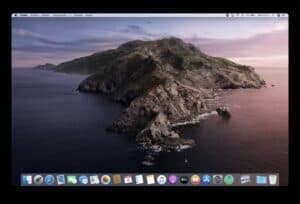
Announced at WWDC 2019 on 3 June, macOS 10.15 Catalina was named after Santa Catalina Island off the coast of Southern California. Released on 7 October, 2019, Catalina represented the final version of macOS 10.x, ending the numbering scheme that had defined Mac operating systems since 2001.
"Catalina introduces amazing new features and apps," Craig Federighi announced, "while maintaining the power and simplicity that millions of users love about the Mac."
The death of iTunes was Catalina’s most visible change. After 18 years, iTunes was divided into three separate applications: Music, Podcasts and TV. Each app provided a focused experience for its media type, while device syncing moved to Finder. The change ended an era but simplified media management considerably.
Sidecar transformed iPad into a second display for Mac, either wirelessly or via USB connection. Users could extend their desktop or mirror their display, with full support for Apple Pencil when using the iPad as a graphics tablet. The feature required specific hardware combinations but proved immediately useful for designers and creative professionals.
Screen Time came to Mac from iOS, providing detailed reports about application usage and website visits. Parents could manage children’s screen time and set app limits, while individuals could monitor and restrict their own usage. The feature synced with iOS devices, giving a comprehensive view of time spent across all Apple devices.
The new Find My app combined Find My iPhone and Find My Friends into a single application, with the ability to locate lost Macs even when offline using Bluetooth signals from nearby Apple devices.
Voice Control enabled complete Mac operation using only voice commands, allowing users to navigate, edit text and interact with applications without touching keyboard or mouse. The accessibility feature used on-device processing for privacy and worked offline.
Activation Lock extended from iOS to Mac, requiring an Apple ID password before anyone could erase and reactivate a Mac. The security feature made stolen Macs essentially useless to thieves.
Mail gained block sender and unsubscribe features, making inbox management easier. Messages effects from iOS—like confetti, lasers and balloons—arrived on Mac, along with Memoji stickers.
Photos improvements included a redesigned interface emphasising curated content, with Days, Months and Years views that organised photos intelligently. Machine learning identified best photos and reduced clutter from duplicates and screenshots.
Safari 13 enabled Sign in with Apple, allowing users to create accounts and sign into apps and websites using their Apple ID instead of social media logins. The feature included privacy-protecting email forwarding to keep personal addresses hidden.
Project Catalyst, the framework introduced in Mojave, became fully supported, enabling developers to bring more iPad apps to Mac. While this expanded the Mac app ecosystem, some ported apps felt uncomfortable on the desktop platform.
Catalina controversially removed 32-bit application support entirely. Apps that hadn’t been updated to 64-bit simply refused to run, eliminating software that many users relied upon. The change forced developers to update or abandon their applications, and some popular programs simply disappeared.
Security enhancements introduced read-only system volume protection, separating the system from user data. System files and apps were stored on a dedicated, read-only volume, making it much harder for malware to compromise macOS.
The requirements for Gatekeeper notarization became stricter, with all software distributed outside the Mac App Store requiring developer verification through Apple. While improving security, this added friction for independent developers and users of niche software.
System requirements increased notably, dropping support for several Macs that ran Mojave:
- MacBook from early 2015 or later
- MacBook Air from mid 2012 or later
- MacBook Pro from mid 2012 or later
- Mac mini from late 2012 or later
- iMac from late 2012 or later
- Mac Pro from late 2013 or later
"Catalina delivers meaningful improvements alongside controversial changes," wrote Macworld. The removal of 32-bit support and iTunes proved divisive, though the individual media apps and Sidecar were widely praised.
Catalina also suffered from an unusual number of bugs at launch, including issues with supplemental updates, Mail problems and compatibility issues with popular professional applications. Apple released multiple supplemental updates to address the problems.
17. macOS 11 Big Sur
November 19, 2020
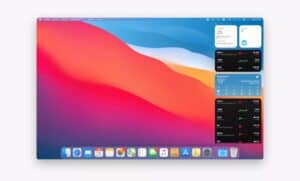
Announced at WWDC 2020 on 22 June, macOS 11 Big Sur marked the most significant milestone since Mac OS X 10.0 Cheetah in 2001. For the first time since 2000, Apple incremented the major version number from 10 to 11, signalling a new era for the Mac.
Named after the Big Sur region along California’s central coast, Big Sur was released on 12 November, 2020 (though Apple later corrected this to 19 November for retail builds). The operating system introduced the biggest design overhaul since Yosemite while preparing macOS for Apple Silicon.
"Big Sur is the biggest update to macOS in over a decade," declared Craig Federighi. The visual redesign touched every corner of the operating system, from icons and windows to menus and sounds. The new interface felt distinctly Mac while borrowing elements from iOS and iPadOS.
Icons received a unified design language with rounded-square shapes similar to iOS app icons, though Apple balanced this with enough variation to maintain the Mac’s character. The Dock became translucent and floating, sitting above the desktop with rounded corners. Menu bar icons were redesigned with consistent weights and shapes.
Control Center made its Mac debut, borrowed directly from iOS, providing quick access to WiFi, Bluetooth, AirPlay, screen brightness and volume controls. The panel could be customised with additional modules and appeared instantly when clicked.
Notification Center received a complete redesign, with grouped notifications by app and interactive widgets inspired by iOS 14. Widgets could be added, removed and rearranged, displaying information from Mail, Calendar, Weather, News and third-party apps.
Safari 14 became dramatically faster, with Apple claiming it was the world’s fastest desktop browser. Privacy Report showed which websites were blocked from tracking, while built-in translation supported seven languages. Extensions could be downloaded from the Mac App Store for the first time.
Messages became far more capable, gaining pinned conversations, inline replies, message effects and Memoji customisation that matched the iOS experience. Group conversations could be personalised with photos or emoji, and mentions notified specific participants.
Maps received a significant overhaul with Look Around (Apple’s Street View competitor), indoor maps for airports and shopping centres, cycling directions and electric vehicle routing. The app began to compete seriously with Google Maps for the first time.
The transition to Apple Silicon represented Big Sur’s most profound change, though initially invisible to most users. The operating system ran natively on both Intel and Apple’s custom chips, with Rosetta 2 translating Intel apps to run on Apple Silicon Macs.
Universal apps compiled for both architectures ensured software worked identically across Intel and Apple Silicon Macs. The transition strategy learned from the PowerPC to Intel migration, though Rosetta 2 performed remarkably better than the original Rosetta.
Big Sur brought iOS and iPadOS apps to Apple Silicon Macs natively, allowing hundreds of thousands of mobile apps to run on Mac without modification. Some apps worked excellently, while others clearly weren’t designed for desktop use with keyboard and mouse.
Privacy enhancements included Privacy Report in Safari, app privacy information in the Mac App Store showing what data apps collect, and improved control over location services, camera and microphone access.
System requirements reflected both the Apple Silicon transition and dropping older hardware:
- MacBook from 2015 or later
- MacBook Air from 2013 or later
- MacBook Pro from late 2013 or later
- Mac mini from 2014 or later
- iMac from 2014 or later
- iMac Pro (all models)
- Mac Pro from 2013 or later
The update’s size—approximately 12GB—proved challenging for users with slower internet connections. Installation problems affected some users, with reports of bricked Macs and failed updates requiring professional assistance to resolve.
Performance on Intel Macs proved mixed, with some users reporting slower operation while others experienced improvements. Apple Silicon Macs demonstrated the future potential, with dramatic performance and efficiency gains.
"Big Sur represents a fresh start for the Mac," concluded TechCrunch. "The design overhaul and Apple Silicon support position macOS for the next decade of evolution."
18. macOS 12 Monterey
October 25, 2021
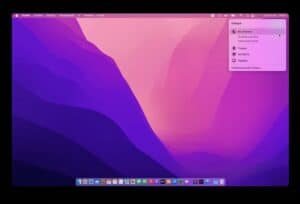
Announced at WWDC 2021 on 7 June, macOS 12 Monterey took its name from the Monterey Peninsula on California’s coast. Released on 25 October, 2021, Monterey focused on productivity features and ecosystem integration rather than visual redesign, building on Big Sur’s foundation.
"Monterey introduces powerful features that help users connect, be more productive and work effortlessly across their Apple devices," said Craig Federighi at the WWDC keynote.
Universal Control stole the show, allowing users to work seamlessly across Mac and iPad with a single mouse and keyboard. Moving the cursor to the edge of a Mac screen allowed it to appear on a nearby iPad, with the ability to drag files between devices. The feature felt like magic when it worked, though it didn’t ship until macOS 12.3 in March 2022.
SharePlay brought synchronized media experiences to FaceTime, allowing up to 32 people to watch movies, listen to music or work on projects together while video chatting. Supported apps included Apple TV , Apple Music, Disney , HBO Max and others through API integration.
FaceTime received significant improvements including spatial audio for natural-sounding conversations, Portrait mode to blur backgrounds, Grid view showing all participants, and the ability to create FaceTime links that worked across iOS, Android and Windows devices through web browsers.
Focus modes expanded on Do Not Disturb, allowing users to create custom modes for different contexts—work, personal time, sleep, driving—with specific apps and people allowed through. Focus states synced across devices, with suggestions based on time and location.
Live Text used on-device machine learning to recognise text in photos and screenshots, allowing users to copy, translate, call phone numbers or visit websites from captured text. The feature worked in Photos, Safari, Preview and Quick Look, even with text in videos.
Safari received a controversial redesign that combined tabs and the address bar into a compact tab bar. The polarising change proved unpopular with many users, prompting Apple to offer a preference to restore the traditional separate design. The tab groups feature, however, proved useful for organising collections of related websites.
Shortcuts app arrived on Mac from iOS, allowing users to automate tasks across apps and services. The visual workflow builder made automation accessible to non-programmers, with a library of pre-built shortcuts and the ability to create custom workflows.
AirPlay to Mac turned the Mac into an AirPlay receiver, allowing iPhones and iPads to wirelessly stream audio and video to Mac displays. The feature made the Mac more versatile as a secondary display.
Low Power Mode came to Mac, reducing energy consumption by dimming the screen and slowing system activity. Battery status showed more detail about which apps consumed the most energy.
Quick Note, introduced on iPad, arrived on Mac, allowing instant note creation from anywhere using a hot corner or keyboard shortcut. Notes appeared as floating windows that could be dismissed and recalled, with automatic linking to apps and websites.
System requirements remained mostly unchanged from Big Sur, though some features required Apple Silicon Macs or specific Intel models:
- MacBook from 2016 or later
- MacBook Air from 2015 or later
- MacBook Pro from 2015 or later
- Mac mini from 2014 or later
- iMac from 2015 or later
- iMac Pro (all models)
- Mac Pro from late 2013 or later
Universal Control specifically required models from 2016 or later, reflecting its technical demands for low-latency wireless communication between devices.
"Monterey is a smaller update that nevertheless brings some truly innovative features," observed The Verge. Universal Control and SharePlay particularly demonstrated Apple’s ecosystem integration strategy.
The update suffered some compatibility issues with professional audio and video applications, prompting creative professionals to delay upgrading until developers released compatible versions of their software.
19. macOS 13 Ventura
October 24, 2022
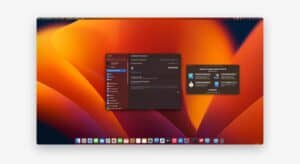
Announced at WWDC 2022 on 6 June, macOS 13 Ventura was named after the Southern California coastal city. Released on 24 October, 2022, Ventura introduced innovative window management, enhanced continuity features and improvements to core applications.
"Ventura delivers powerful new features that make the Mac experience even better," said Craig Federighi. The operating system focused on productivity enhancements and refinements rather than dramatic visual changes.
Stage Manager revolutionised window management, automatically organising open windows into groups that could be saved and recalled. The feature displayed the active window prominently in the centre while showing other windows and applications in thumbnails on the left side of the screen.
Users could create different window groups for various tasks—research with Safari and Notes, video editing with Final Cut Pro and Motion, development with Xcode and Terminal. Switching between groups happened instantly, with windows returning to their exact positions.
Stage Manager proved divisive. Some users embraced it as transformative, while others found it confusing and unnecessary. The ability to disable it satisfied both camps, though its introduction as an optional feature rather than default behaviour limited adoption.
Continuity Camera transformed iPhones into Mac webcams, using the superior cameras and computational photography of iOS devices to dramatically improve video quality. The feature worked wirelessly or via USB, with support for Center Stage, Portrait mode and Studio Light effects.
Desk View used the ultra-wide camera on newer iPhones to show both the user’s face and an overhead view of their desk simultaneously—perfect for demonstrations and tutorials. Third-party apps could access Continuity Camera through standard video APIs.
FaceTime Handoff allowed users to start a call on iPhone and seamlessly transfer it to Mac, or vice versa, by simply bringing devices close together. The feature made transitioning between devices during calls effortless.
Mail received its biggest update in years, with scheduled send allowing emails to be composed and sent at specific times. Undo Send provided a brief window to recall messages after hitting send. Follow-up reminders surfaced emails requiring responses, and improved search delivered more relevant results.
Safari gained Shared Tab Groups, allowing multiple users to collaborate on collections of websites with real-time synchronisation. Passkeys replaced traditional passwords with secure, phishing-resistant authentication using Touch ID or Face ID.
Weather app finally arrived on Mac from iOS, providing detailed forecasts with animated backgrounds, precipitation maps, air quality information and severe weather notifications. The beautifully designed app made checking weather enjoyable.
Freeform app debuted as a digital whiteboard for collaboration, allowing teams to brainstorm and organise ideas with support for text, images, documents, links and drawings. The app synced across devices and supported simultaneous editing by multiple users.
System Settings replaced System Preferences with an iOS-style sidebar navigation similar to the Settings app on iPhone and iPad. The redesign made some settings easier to find while hiding others deeper in menus, proving controversial among longtime Mac users.
Gaming improvements arrived with MetalFX Upscaling, a technology similar to NVIDIA’s DLSS that improved game performance while maintaining visual quality. Several AAA games announced Mac versions leveraging Metal 3 and Apple Silicon.
System requirements increased notably, dropping support for several Macs that could run Monterey:
- MacBook from 2017 or later
- MacBook Air from 2018 or later
- MacBook Pro from 2017 or later
- Mac mini from 2018 or later
- iMac from 2017 or later
- iMac Pro (all models)
- Mac Pro from 2019 or later
- Mac Studio (all models)
"Ventura brings meaningful improvements to key apps and introduces genuinely useful new features," wrote MacRumors. Stage Manager and Continuity Camera particularly demonstrated Apple’s willingness to experiment with new interaction paradigms.
20. macOS 14 Sonoma
September 26, 2023
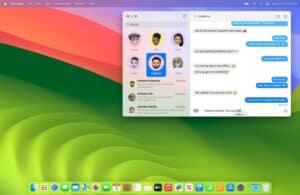
Announced at WWDC 2023 on 5 June, macOS 14 Sonoma took its name from Sonoma County, known for its wine country in Northern California. Released on 26 September, 2023, Sonoma focused on refinements and quality-of-life improvements rather than revolutionary features.
"Sonoma brings new capabilities and features that make the Mac experience even more delightful," explained Craig Federighi. The operating system emphasised personalisation, communication enhancements and gaming.
Widgets transformed from Notification Center residents to desktop inhabitants, allowing users to place interactive widgets directly on their desktop. The widgets adapted their appearance based on desktop wallpaper, becoming translucent when using apps to avoid distraction.
iPhone widgets appeared on Mac through Continuity, with thousands of iOS widgets available on the desktop without requiring Mac versions. Tapping a widget launched the associated app on iPhone, creating a seamless bridge between devices.
Video conferencing received major enhancements with Presenter Overlay, allowing users to appear in front of shared content rather than in a separate window. Reactions enabled hand gestures—thumbs up, hearts, confetti—to trigger fun effects during calls.
Screen Sharing got a comprehensive update with high-performance mode for smooth remote desktop access and click-to-share allowing users to share specific apps rather than entire screens.
Safari improvements included Profiles, allowing users to separate browsing history, cookies and settings for different contexts—work, personal, development. Each profile maintained independent favorites, tab groups and cookies.
Passwords became organised in a dedicated section within Settings, making credential management more accessible. Password sharing between family members through iCloud Keychain simplified account sharing while maintaining security.
Gaming experienced significant advancements with Game Mode, which prioritised gaming performance by allocating more CPU and GPU resources while reducing background activity. Several major titles including Resident Evil Village, Death Stranding and Baldur’s Gate 3 arrived on Mac, demonstrating improved gaming viability.
Metal 3 enhancements and improved developer tools encouraged more game developers to target Mac, with Apple Silicon providing the performance previously unavailable on the platform.
PDF editing in Preview expanded with form filling, signing and annotation tools that matched functionality previously requiring Adobe Acrobat. Collaboration features allowed multiple users to mark up PDFs simultaneously.
Messages search improved dramatically, with filters for photos, links, and recently deleted messages. Search became faster and more accurate, finally addressing longstanding complaints about Messages’ poor search functionality.
Health app arrived on Mac for the first time, syncing data from iPhone and Apple Watch to display trends, charts and detailed health information. Users could view their health data on the larger screen while maintaining privacy through end-to-end encryption.
Safari introduced Web Apps, allowing websites to be saved as standalone applications that appeared in the Dock, launched independently and operated like native apps. The feature particularly benefited web-based productivity tools.
System requirements remained unchanged from Ventura, maintaining compatibility with Macs from 2017-2018 or later depending on model. However, certain features like Reactions in video calls required Apple Silicon Macs or specific Intel models.
"Sonoma represents a solid, if incremental, update," concluded 9to5Mac. "The improvements to widgets, video calls and gaming show Apple continuing to refine the Mac experience."
The update proved relatively stable compared to some previous releases, with fewer major bugs affecting users. Performance on both Intel and Apple Silicon Macs remained strong, though Apple Silicon continued to demonstrate advantages in battery life and graphics performance.
21. macOS 15 Sequoia
September 16, 2024
Announced at WWDC 2024 on 10 June, macOS 15 Sequoia was named after Sequoia National Park, home to Earth’s largest trees. Released on 16 September, 2024, Sequoia introduced Apple Intelligence while refining existing features and improving cross-device integration.
"This is the beginning of a new era for the Mac," declared Craig Federighi, referring to the integration of Apple Intelligence throughout the operating system.
Apple Intelligence represented Sequoia’s defining feature, bringing advanced AI capabilities throughout the system. Writing Tools appeared in any text field, offering proofreading, rewriting, summarisation and tone adjustment. The tools understood context and could transform casual text into professional prose or summarise lengthy documents into key points.
Image Playground enabled users to generate images from text descriptions directly within Messages, Notes and compatible third-party apps. The playful image creation tool offered various styles and could incorporate people from the user’s photo library.
Genmoji created custom emoji based on text descriptions, expanding far beyond the standard emoji library. Users could generate any emoji imaginable, from "lion wearing party hat" to "robot dancing," adding personality to messages.
Siri received its most significant upgrade since arriving on Mac in Sierra, with better understanding of context, ability to handle stutters and mid-sentence corrections, and knowledge about Apple products and features. The assistant maintained conversation context across multiple requests and could perform actions within apps.
iPhone Mirroring brought the iPhone screen to Mac, allowing complete control of the phone while it remained in a pocket or bag. Users could interact with iPhone apps, receive notifications and even drag files between devices—all while the iPhone stayed locked and inaccessible to others.
Window Tiling simplified window management without Stage Manager, allowing windows to be snapped to screen edges or corners by dragging. The feature worked similarly to Windows’ Snap or third-party Mac apps like Magnet, finally bringing this functionality natively to macOS.
Safari introduced Highlights, which surfaced relevant information about webpages—directions, summaries, key details—without requiring users to read through entire articles. The viewer was a Distraction-Free Reader removed ads, popups and other clutter for focused reading.
Passwords app replaced the passwords section of Settings, providing a dedicated application for managing credentials, passkeys, verification codes and WiFi passwords. The app synced via iCloud Keychain and worked across iPhone, iPad, Mac and Vision Pro.
Messages gained Send Later for scheduling messages, Text Effects for emphasising words with animations, and Tapbacks with any emoji rather than just the previous six options. These enhancements brought Messages closer to feature parity with modern messaging apps.
Photos experienced a major redesign emphasising Collections and customisable galleries. The new interface organised photos automatically while giving users control over layout and which collections appeared prominently. Though powerful, some longtime Photos users found the redesigned interface initially confusing.
Maps added topographic maps with detailed trail information, custom route creation and the ability to download maps for offline use—features outdoor enthusiasts had requested for years. Trails were organised by national park and hiking area, with difficulty ratings and photos.
Notes gained live transcription during audio recordings, automatically converting speech to searchable text. Math Notes solved handwritten equations as users wrote them, making the app valuable for students and professionals working with calculations.
System requirements increased again, focusing primarily on Apple Silicon while maintaining some Intel support:
- MacBook Air from 2020 or later
- MacBook Pro from 2018 or later
- Mac mini from 2018 or later
- iMac from 2019 or later
- iMac Pro from 2017
- Mac Studio (all models)
- Mac Pro from 2019 or later
Apple Intelligence features required M1 or later Apple Silicon Macs, excluding Intel models entirely from the most prominent new capabilities. This effectively created a two-tier experience based on hardware.
"Sequoia ushers in the AI era for Mac while maintaining Apple’s privacy-first approach," observed The Verge. Apple Intelligence’s focus on on-device processing distinguished it from cloud-based AI competitors.
Initial release included only the first wave of Apple Intelligence features, with additional capabilities rolling out in macOS 15.1, 15.2 and beyond through early 2025. The staggered release allowed Apple to refine features based on real-world usage before wider deployment.
22. macOS Tahoe 26 (2025): What’s new and why it matters
September 15, 2025
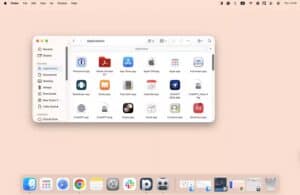
Breaking from the sequential numbering that had defined macOS since Big Sur, Apple introduced macOS Tahoe 26 at WWDC 2025 on 9 June. The jump from version 15 to 26 aligned the operating system version with the calendar year 2026, simplifying version identification and eliminating confusion as Apple’s development cycles accelerated.
Named after Lake Tahoe, straddling the California-Nevada border, macOS Tahoe 26 launched to the public on 15 September, 2025, continuing Apple’s autumn release tradition. The renumbering strategy mirrored approaches used by Chrome and Firefox, prioritising clarity over mathematical progression.
"macOS Tahoe represents our most intelligent and capable Mac operating system yet," announced Craig Federighi at WWDC 2025. The release built substantially on Apple Intelligence foundations while introducing meaningful improvements to productivity and creativity tools.
Apple Intelligence matured significantly in Tahoe, with expanded language support bringing AI features to users in France, Germany, Italy, Spain, Japan, China and additional markets. Image Wand transformed rough sketches into detailed images within Notes, while Clean Up in Photos removed unwanted objects from images with a simple tap.
Siri’s contextual awareness deepened, allowing it to reference items on screen, understand personal context from Messages and Calendar, and perform multi-step tasks without explicit instructions. The assistant became genuinely helpful for complex workflows rather than simple commands.
Visual Intelligence utilised the Mac’s camera to identify objects, translate text in real-time and provide contextual information about the physical world. Pointing a webcam at a restaurant menu translated it instantly, while analysing products provided pricing, reviews and purchasing information.
Priority Notifications used machine learning to surface genuinely important alerts while suppressing routine notifications. The system learned from user behaviour, interrupting only for time-sensitive or personally relevant information.
Mail underwent its most significant transformation in over a decade with Smart Categorisation automatically sorting messages into Primary, Transactions, Updates and Promotions. Digest views summarised newsletters and promotional emails without cluttering the inbox, while improved search understood natural language queries.
Safari gained Tab Memory, remembering why tabs were opened and suggesting when to revisit or close them based on content and user behaviour. Collections became smarter, automatically suggesting websites to add based on browsing patterns and maintaining organisation without manual intervention.
Focus Modes evolved into Adaptive Focus, automatically adjusting based on location, time, calendar events and usage patterns. The system learned individual preferences, creating contextual environments that surfaced relevant apps, contacts and information.
Spatial Audio came to FaceTime calls through computational audio processing, creating immersive conversations where participants’ voices appeared to originate from their position on screen. The feature worked with standard microphones and speakers without requiring specialised hardware.
Universal Clip expanded beyond clipboard to include screenshots, Quick Notes and Markup annotations, making all these elements available instantly across iPhone, iPad and Mac. The feature maintained version history, allowing users to retrieve and paste previously copied items.
Continuity Keyboard allowed the Mac’s keyboard to control iPhone and iPad while using Universal Control, completing the unified input experience across devices. Typing on iOS devices with the Mac’s full-size keyboard dramatically improved productivity when working across multiple devices.
Finder gained Smart Folders 2.0 with AI-powered organisation that understood document content rather than just metadata. Searching for "contracts from Q4" surfaced relevant documents regardless of filename or folder location, fundamentally changing file management.
Collaboration spaces in Notes and Freeform supported real-time voice chat within the app, eliminating the need for separate FaceTime calls during collaborative sessions. The integrated approach kept teams focused on their work while maintaining communication.
System requirements reflected Apple’s Silicon-first strategy while maintaining some Intel support:
- MacBook Air from 2020 or later
- MacBook Pro from 2019 or later
- Mac mini from 2018 or later
- iMac from 2020 or later
- Mac Studio (all models)
- Mac Pro from 2019 or later
Most Apple Intelligence features required M2 or later processors, with M1 Macs accessing only basic AI capabilities. Intel Macs received security updates and compatibility improvements but missed out on the headline AI features entirely.
"Tahoe demonstrates Apple’s vision for AI-enhanced computing without sacrificing privacy or user control," wrote TechCrunch. The on-device processing approach continued differentiating Apple’s AI implementation from cloud-dependent competitors.
Performance optimisations delivered measurable improvements on Apple Silicon, with M3 and M4 Macs benefiting particularly from Metal 4 enhancements and improved neural engine utilisation. Battery life increased by approximately 30 minutes on MacBook Air and MacBook Pro through more efficient power management.
Privacy Reports expanded to show what information apps accessed and when, with weekly summaries highlighting which apps used the most data, tracking or system resources. The transparency empowered users to make informed decisions about which apps to trust.
Is there any difference between Mac OS X and macOS?
Yes, there’s a significant naming evolution. From 2001 to 2011, Apple called it "Mac OS X" (pronounced "Mac O-S Ten"). Starting with OS X 10.7 Lion in 2011, the company shortened it to "OS X," dropping the "Mac" prefix. Then, in 2016 with OS X 10.12 Sierra, Apple adopted "macOS" to align with the naming conventions of its other operating systems—iOS, watchOS and tvOS.
Additionally, macOS 11 Big Sur in 2020 marked another milestone by incrementing the major version number from 10 to 11 for the first time in 20 years. Then macOS Tahoe in 2025 shifted to year-based numbering (version 26 for 2026), further modernising the versioning scheme.
Functionally, they’re all the same operating system lineage—just with evolving names and version numbers to reflect different eras of Mac development.
What is the oldest macOS that is still supported?
As of February 2026, Apple typically provides security updates for the current version and the two previous major releases. This means macOS 15 Sequoia, macOS 14 Sonoma and macOS 13 Ventura are currently receiving security patches.
However, macOS 26 Tahoe is the latest version, so following Apple’s pattern, Ventura will likely lose support when Tahoe becomes widely adopted. Apple generally supports each macOS version for approximately three years from its release date.
What version of Mac is no longer supported?
macOS 12 Monterey (released October 2021) and all earlier versions are no longer receiving security updates from Apple as of early 2026. This includes:
- macOS 12 Monterey
- macOS 11 Big Sur
- macOS 10.15 Catalina
- macOS 10.14 Mojave
- And all previous versions dating back to Mac OS X 10.0 Cheetah
Macs running these older versions remain functional but are increasingly vulnerable to security threats. Users should upgrade to macOS 13 Ventura or later if their hardware supports it to maintain security and compatibility with modern applications.
FAQs about macOS Versions
How to get old versions of macOS?
Older macOS versions can sometimes be downloaded from the Mac App Store if you’ve previously downloaded them, or through Apple’s support website for certain versions. However, Apple intentionally limits access to very old versions to encourage users to maintain up-to-date, secure systems. Your Mac can only download versions it’s compatible with based on its hardware.
For legitimate purposes like running older software or maintaining compatibility with specific hardware, Apple Support can sometimes provide download links. Always ensure you’re downloading from official Apple sources to avoid security risks.
What are macOS versions named after?
From Mac OS X 10.0 through 10.8, Apple used big cat names: Cheetah, Puma, Jaguar, Panther, Tiger, Leopard, Snow Leopard, Lion and Mountain Lion.
Starting with OS X 10.9 Mavericks in 2013, Apple switched to California landmarks and locations: Mavericks (surfing spot), Yosemite (national park), El Capitan (rock formation), Sierra (mountain range), High Sierra, Mojave (desert), Catalina (island), Big Sur (coastal region), Monterey (city), Ventura (county), Sonoma (county), Sequoia (national park) and Tahoe (lake).
This naming scheme connects the Mac to Apple’s California heritage while providing memorable, distinctive names that are easier to remember than version numbers.
What is the most common version of macOS?
As of February 2026, macOS 14 Sonoma is likely the most widely installed version, as many users remain one version behind the latest release for stability reasons. However, adoption of macOS 26 Tahoe is accelerating, particularly among users with newer Apple Silicon Macs who want access to the latest Apple Intelligence features.
Professional users, especially those working with audio, video or specialised software, often delay updates by several months to ensure compatibility with their critical applications.
Which macOS is fastest?
Performance varies significantly based on hardware. On Apple Silicon Macs (M1 and later), newer versions like macOS 14 Sonoma, 15 Sequoia and 26 Tahoe deliver exceptional performance due to ongoing optimisations for the architecture.
For older Intel Macs, macOS 10.14 Mojave or 10.15 Catalina often provide the best balance of features and performance, as later versions weren’t as heavily optimised for Intel processors.
Generally, each macOS release improves performance on Apple Silicon while Intel Mac performance has plateaued or slightly declined in recent versions.
Is macOS faster than Windows 11?
This question is highly context-dependent. On Apple Silicon Macs, macOS delivers exceptional performance and efficiency that Windows 11 on ARM struggles to match. The deep integration between Apple’s custom silicon and macOS creates advantages that generic PC hardware can’t easily replicate.
On Intel hardware, Windows 11 and macOS perform similarly in many tasks, with each having advantages in specific scenarios. Windows typically excels in gaming and certain professional applications, while macOS often provides better battery life and creative workflow integration.
The "fastest" operating system ultimately depends on the specific hardware, applications and tasks being performed.
What are the most significant macOS versions?
Several macOS releases stand out as particularly transformative:
Mac OS X 10.0 Cheetah (2001) – Established the Unix-based foundation that still underpins macOS today.
Mac OS X 10.4 Tiger (2005) – Introduced Spotlight and Dashboard, fundamentally changing how users interact with their Macs.
Mac OS X 10.5 Leopard (2007) – Brought Time Machine, Spaces and Boot Camp, while supporting both PowerPC and Intel processors.
Mac OS X 10.6 Snow Leopard (2009) – Refined the OS with performance improvements and 64-bit support, becoming many users’ favourite version.
OS X 10.9 Mavericks (2013) – First free macOS update, dramatically increasing adoption rates.
OS X 10.10 Yosemite (2014) – Complete visual redesign that defined macOS aesthetics for years to come.
macOS 11 Big Sur (2020) – Supported the transition to Apple Silicon, enabling the performance revolution we see today.
macOS 26 Tahoe (2025) – Brought mature Apple Intelligence integration, representing the AI era of computing.
Each of these releases pushed the Mac forward in meaningful ways, whether through technical innovations, design transformations or fundamental changes to how the platform operates.