Facebook-f Twitter
GeeksChalk Logo GeeksChalk Logo
Notification
  • Home
  • iPhone
  • iPad
  • Mac
  • Apple Watch
  • Pages
    • About Us
    • Contact Us
    • Advertise With Us
  • 🤩 Trending:
  • 100 new iOS 26 features for iPhone
  • 10 Best iOS 26 Tips & Tricks
  • iPhone 16: Everything We Know
  • iPhone 16 Pro: Everything We Know

GeeksChalk is the leading source for all things iPhone, Mac, iPad, Apple Watch, Vision Pro, and more

GeeksChalkGeeksChalk
  • Home
  • iPhone
  • iPad
  • Mac
  • Apple Watch
Search

Popular Post

iPhone 15 Pro in black titanium, white titanium, blue titanium, and natural titanium finishes.
iPhone

Apple CarPlay GPS Not Working, Showing Wrong Location: Fix

iPhone 14 Pro and iPhone 14 Pro Max are shown in gold.
iPhone

How to Fix iPhone not sending text messages to Android

Connect an iPhone to car Bluetooth
Troubleshooting

How to fix Bluetooth not working on iPhone after iOS 26 update

iPhone outline with an Apple logo
iPhone

Need to restore an iPhone backup? Here’s how

Follow US
Copyright © 2026 www.GeeksChalk.com
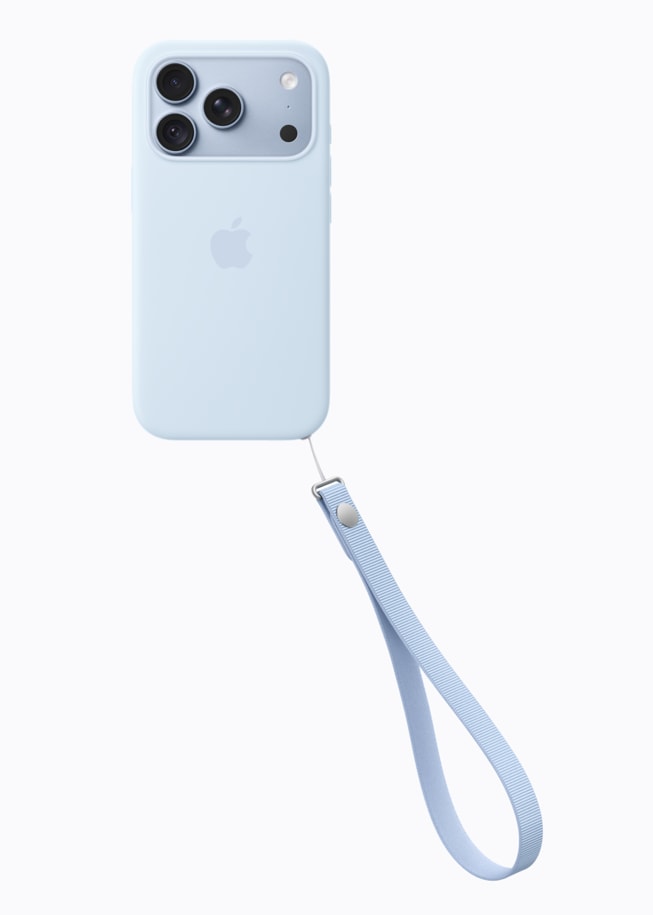
iPhone 18 Pro in glacier is paired with the glacier Wrist Strap.
GeeksChalk > Troubleshooting > Apple Account Greyed Out in iPhone 18 Pro Settings? How to Fix

Apple Account Greyed Out in iPhone 18 Pro Settings? How to Fix

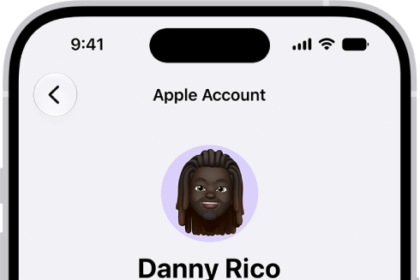
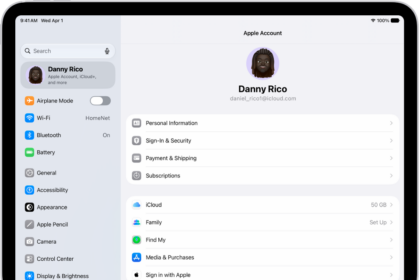
If your Apple Account is greyed out in Settings on your iPhone 18 Pro or iPhone 18 Pro Max, check Apple Account on the System Status page and restart your iPhone.

Last updated: September 29, 2026 4:03 pm
By Tom Griffin - Executive Editor
Share
2 Min Read

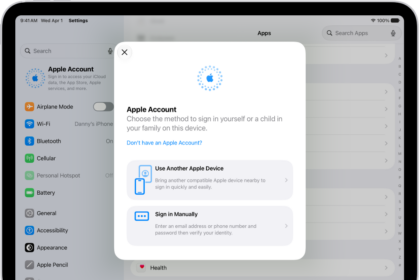
Did you notice that iOS greyed out your Apple Account settings? This means that when you open the Settings app on your iPhone 18 Pro, your Apple Account shows up as greyed out, making it inaccessible. And when the Apple Account is tapped, nothing happens because the setting is untappable. Sometimes a greyed out Apple Account may appear to be stuck on ‘Verifying’.

If you are also having this problem, you can no longer use your Apple Account on your Apple device. When an Apple Account is greyed out on an iPhone, it most likely is because of a problem that happened when upgrading the iOS or when you change your Apple Account and password.

This is an important problem. If you are having this problem, you may not use various Apple services that require an Apple Account, such as the App Store, iTunes, FaceTime, iCloud, iMessage, and more.

This article explains that there are a few things you can try to fix this problem.

Check Apple system status page

Apple has a webpage with real-time status information for its services, such as Apple Account. You can check if Apple Account services are working normally or experiencing issues. Here is how:

  • Visit Apple’s system status site: https://www.apple.com/support/systemstatus/
  • Look for “Apple Account”.
  • If it is green, everything is working. If not, just wait, Apple will fix your issue.

Restart

Restarting your device may resolve your Apple Account problem. Here is how you can restart your device.

  • Simultaneously press and hold the side button and either volume button until the sliders appear, then drag the Power Off slider.
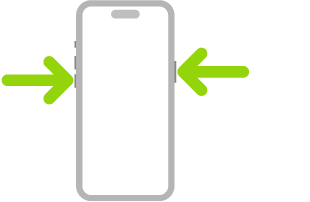
    An illustration of iPhone with arrows pointing to the side button on the upper right and a volume button on the upper left.

Check your connections

It is possible that you may be having a connection problem. Please ensure that your iPhone 18 Pro is connected to the Internet. You may connect to the Internet using cellular service or Wi-Fi. Open Safari and try to load apple.com, if you can not access the website, please try the tips below:

  • On your device, turn on Airplane Mode and wait one minute and then turn it off (Settings > Airplane Mode).
  • Restart your Wi-Fi router.
  • Try a different Wi-Fi connection if possible.
  • You may also want to reset your network settings by going to Settings > General > Transfer or Reset iPhone > Reset > Reset Network Settings. Please note that doing so will erase all of your network settings such as your saved Wi-Fi passwords etc.

Check if restrictions are turned on on your iPhone 18 Pro

It is possible that Restrictions were enabled. Make sure that the ability to make changes to accounts is allowed. Here is how you can check this:

  • On your iPhone 18 Pro, tap Settings.
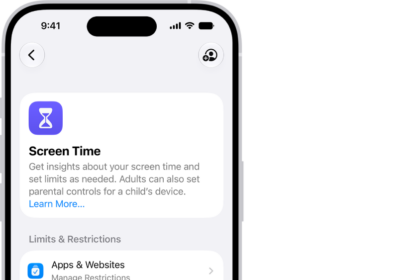
  • Tap Screen Time. You may need to enter your Screen Time passcode.
  • Content & Privacy Restrictions.
  • Scroll down and find the Allow Changes To section and tap Accounts. Make sure that this setting is “Allow”.
  • If this does not solve your issue, try turning off Screen Time. You can do so by going to Settings > Screen Time. Tap Manage Screen Time, then tap Turn Off App & Website Activity.

Software update

Perform a software update to the affected device. You can do so by going to Settings > General > Software Update. This will check for updates. If there is an update available, follow the onscreen instructions to update your iPhone 18 Pro.

You may also want to enable Automatic Updates by going to Settings > General > Software Update > Automatic Updates.

You can also update your device using your computer by connecting your device to your computer.

Profiles

A configuration profile may have been installed on your iPhone (by employers or schools etc) that contains settings to restrict or limit and manage employees’ or student’s devices. On your device, go to Settings > General > VPN & Device Management, do you see any profile installed? If there is, you can tap it to see what restrictions are set. If you want, you may remove profiles by going to Settings > General > VPN & Device Management > Remove Profile.


TAGGED:Apple AccountiPhone 18 ProScreen Time
ByTom Griffin
Executive Editor
Follow:
Tom Griffin is the editor-in-chief at GeeksChalk where he oversees all of site’s evergreen content to ensure it’s up to date with the latest information. Hailing from London in the UK, he has over seven years of experience in the tech journalism space and holds a degree in English Literature. In his spare time, Tom can found checking out the latest video games, immersing himself in his favorite sporting pastime of football, and petting every dog he comes across in the outside world.
Leave a Comment Leave a Comment

Leave a Reply Cancel reply

Your email address will not be published. Required fields are marked *

Recent News Flash

iPhone 18 Pro in glacier is paired with the Clear Case.

Wordle Shows a Blank Page on iPhone 18 Pro? Here’s the Fix

iPhone 18 Pro Max, iPhone 18 Pro, a hand holds each model

Can’t Transfer Photos From iPhone 18 Pro to Windows? Fix

iPhone 18 Pro is displayed in black, silver, glacier, and burgundy.

Notifications Disappearing From iPhone 18 Pro Lock Screen

The front of a burgundy iPhone 18 Pro is displayed next to a rear-facing burgundy iPhone 18 Pro Max.

Google Unusual Traffic Error on iPhone 18 Pro? How to Fix

Trending Now

macOS 27 next to MacBook Pro Running macOS 27 Golden Gate

How to Make a Bootable macOS Installer

A photograph captured on iPhone 18 Pro using Pro controls shows the blur of people in motion in the background while keeping the main subject in sharp focus.

The Complete Guide to Every iOS 27 Feature

ios 27 siri animation

How to Activate Siri AI on iPhone: Every Method

Explore More

Recommended For You

iPhone 18 Pro and iPhone 18 Pro Ma iPhone 18 Pro, back exterior, burgundy color (dark red)

iPhone 18 Pro Unable to Download App From The App Store? Fix

iPhone 18 Pro in glacier is paired with the Clear Case.

Can’t Search iPhone 18 Pro Settings After iOS Update? Fix

The front of a burgundy iPhone 18 Pro is displayed next to a rear-facing burgundy iPhone 18 Pro Max.

Apple CarPlay Not Working on iPhone 18 Pro? How to Fix

iPhone 18 Pro is displayed in black, silver, glacier, and burgundy.

iPhone 18 Pro Proximity Sensor Not Working? How to Fix

GeeksChalk Logo GeeksChalk Logo
  • Home
  • Contact Us
  • Advertise
  • Our Staff
  • Editorial Guidelines
  • Terms
  • Privacy
  • Accessibility
  • Copyright
  • About Us
  • Fact Checking Policy
  • Correction Policy
  • Ethics Policy
  • Ownership Policy
Copyright © 2026 www.GeeksChalk.com
Welcome Back!

Sign in to your account

Username or Email Address
Password

Lost your password?