





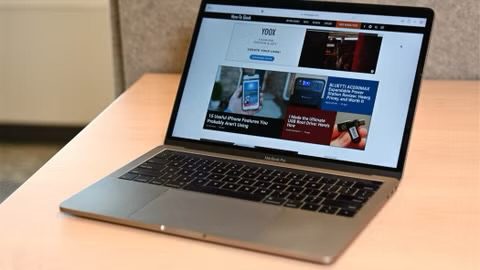
If your MacBook’s case has separated or is bulging, you may be wondering what to do. If you are having this problem, your MacBook is probably a few years old or more at this point. Maybe your trackpad has also stopped working. Perhaps the lid doesn’t close fully. The main questions are:
- What is causing the problem?
- Is it safe to use?
- Can it be fixed, and how much would that cost?
In this article, we’ll address these questions and help you decide what you need to do with your bloated MacBook.
What is causing the bottom of the MacBook to separate?
Generally, if your MacBook’s bottom case/housing is separating, it is due to a swollen battery. Other possibilities include physical damage caused by a drop or perhaps something heavy (like you or another person) sitting on your MacBook. If you know that the MacBook hasn’t suffered any accidents, and especially if it is a few years old or more, a bulging bottom case is probably caused by the battery.
Is it safe to use a MacBook with a swollen battery?
Basically, to be safe, you shouldn’t plug it in. If you do decide to plug it in, keep an eye on it and don’t leave it alone. While a swollen battery can be a fire risk, it “probably won’t” spontaneously combust; that said, it could, and you probably don’t want to take the chance. It is best to store the MacBook outside of your home and away from anything flammable. If the battery does ignite, in addition to causing a fire, the extreme heat and fumes can be harmful to anyone nearby.
If you were to open up your MacBook, you would see one or more puffy little black pillows. These are bad.
What should you do?
If you need to recover data
You have a few options:
- You can back up your Mac. See above for the risks of plugging in and using your MacBook. You can use Time Machine and an external drive or back up to iCloud.
- You can take the MacBook in. Make a Genius Bar appointment at your local Apple Store or try another authorized servicer.
- You may be able to remove the battery and run the Mac using the power adapter. But, if you already know how to do this, you probably aren’t reading this; and again, handling the battery has its dangers.
MacBook repair
You can have Apple replace the battery in your MacBook if it is within the service window. If you have AppleCare+ and your battery capacity is less than 80%, you can get your battery replaced for free.
Battery replacement costs without AppleCare+ vary by model. For current pricing, visit Apple’s official service and repair page or contact Apple Support directly, as prices may change.
Check for an Apple Store or Apple Authorized Service Provider near you by visiting Apple’s repair locations page.
15-inch MacBook Pro Battery Recall Program
If you have a 15-inch MacBook Pro manufactured between September 2015 and February 2017, you may be eligible for a free battery replacement. You can check the eligibility of your MacBook by entering the serial number. To find your serial number, go to the Apple menu, then click on About This Mac.
Disposal of MacBook or its battery
You definitely shouldn’t throw your MacBook or its battery in the trash. If you need to dispose of your Mac, its battery, or other electronics, like an old cell phone, you can probably find somewhere to recycle them nearby; you can check locally to see what is available. Best Buy, for example, accepts many electronics and appliances for recycling, including laptops and their batteries.









 sitting on your MacBook. If you know that the MacBook hasn't suffered any accidents, and especially if it is a few years old or more, a bulging bottom case is probably caused by the battery.)