On iPhone, in the Reminders app, you can use tags as a fast and flexible way to categorize and organize your reminders. You can add one or more tags to a reminder, such as #shopping and #work, and easily search and filter your reminders across lists using the Tag Browser or Smart Lists.
You can also rename or delete a tag whenever you want.
Here’s how to tag items in Reminders on iPhone.
Note: When you use updated reminders, every Reminders feature described in this guide is available, but some aren’t with other accounts.
Add tags
- Open the Reminders app on your iPhone.
- When you create or edit an item in a list, tap the Tag button and type a tag.
A tag can be only one word, but you can combine words using dashes and underscores. An item can have multiple tags.
View items with tags
- Open the Reminders app on your iPhone.
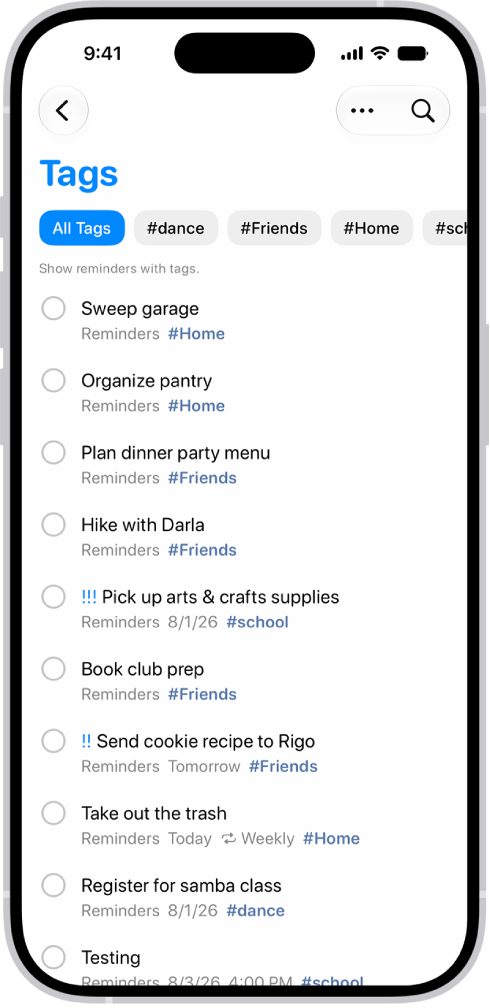
- Below Tags at the bottom of the screen, do any of the following:
- View items with specific tags: Tap one or more tags. Then choose to view items matching any or all of the selected tags.
Tip: To save this list as a Smart List, tap the More button, then tap Create Smart List.
- View all items with tags: Tap All Tags.
- View items with specific tags: Tap one or more tags. Then choose to view items matching any or all of the selected tags.
Rename or delete a tag
- Open the Reminders app on your iPhone.
- Below Tags at the bottom of the screen, touch and hold a tag. Then tap Rename Tag or Delete Tag.
When you delete a tag, it’s also removed from all Smart Lists that use it.