This article explains why you are not getting notifications (text messages notifications etc) on your iPhone 18 Pro when it is paired with your Apple Watch.
Do you notice that sometimes your iPhone 18 Pro does not chime when you get a new text?
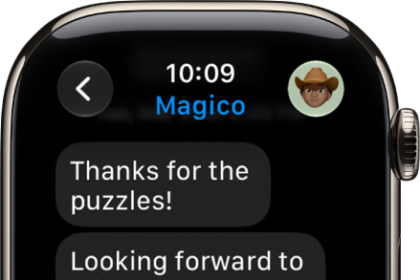
Here is how text notifications work when your iPhone pairs to an Apple Watch:
- Your text message notifications will appear on your watch or on your iPhone, but not on both of them. This mainly depends on if your phone is locked or not, and Apple chose to do so; this is by design (= intentional):
- If your iPhone 18 Pro is unlocked, your iPhone will receive them, not your watch.
- If your iPhone is locked, your notifications will go to your Apple Watch, not your iPhone. If this is the case, your phone will remain silent, no sound, no ringing, no vibrating. This is of course if you are wearing the watch.
- And furthermore, there is no option to get a sound alert on both your Apple Watch and your iPhone simultaneously.
While the current configuration design does not let you receive notifications on both your Apple Watch and your iPhone at the same time. There is a little trick you may try if you really want to get notifications on your iPhone when you are wearing your watch. Turn on Airplane Mode on your watch by opening Control Center (press the side button).
Of course, as you can guess, there are some disadvantages if you follow this tip. Turning Airplane Mode on will disable Wi-Fi, Bluetooth and cellular connections. But you will not lose certain activity tracking options (steps, heart activity, etc) on your Watch. You should decide how much disabling these features will impact your experience with the watch.
To sum up, you will not receive notifications on your phone and on your watch.
If you are unhappy about this feature and if you want to tell Apple your thoughts, leave feedback.