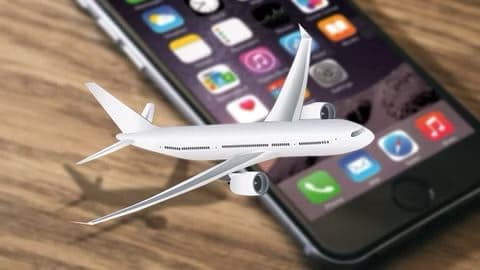
Airplane mode is something you may have spotted in Control Center on your iPhone, but what exactly is it, and when should it be used? Well, airplane mode addresses a problem caused by the growing popularity of modern electronics. The feature isn’t limited to iPhone. It’s also found on Android phones, tablets, smartwatches, e-readers, and even notebooks.
It all started in the 90s, when mobile phones became popular. Airline pilots began to hear clicking noises in their headsets. They discovered that the sound was caused by transmission signals from passenger cell phones. As more people brought phones onto flights, the more interference pilots heard. In response, airlines began banning the use of cell phones on planes, forcing passengers to turn them off completely or leave them at home.
But as phones became smarter, manufacturers were able to create modems that turned off transmission signals, allowing the devices to be used on flights, without a cellular connection. Another new capability was called airplane mode, and it remains an important feature of modern devices. Since smartphones like iPhone don’t have to be turned off during a flight, and can even be used with Wi-Fi turned on, since it uses satellite signals instead of radio signals. Giving passengers access to texting, phone calls, and even video streaming while flying. This would have been unimaginable in the 90s.
But despite airplane mode being a federal requirement on U.S. a 2017 Allianz Travel Insurance survey of over 1,500 Americans found that 40 percent admitted to sometimes skipping airplane mode. Nearly 14 percent said they had sneaked in a mid-flight call or SMS.
But does it even matter? If cell phones were such a threat to aviation, wouldn’t the Transportation Security Administration confiscate your iPhone instead of that water bottle you forgot in your backpack?
While there hasn’t been a recorded plane crash caused by interference from transmission signals, they do pose a serious risk. Planes have radio altimeters that measure their height from the ground. Data from this sensor is used by pilots during landing to ensure a safe touchdown. Especially when visibility is low due to fog, snow, or other bad weather. So while it may be inconvenient, airplane mode is an essential feature, allowing passengers to continue using their phones on a plane, while also ensuring the safest flight possible.
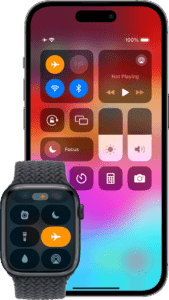
To turn on Airplane Mode on your iPhone, open the Control Center, then tap the Airplane Mode button.
Turning on Airplane Mode on an iPhone turns off all radios except for Bluetooth—you can’t make calls, but you can listen to music, play games, watch videos, and use other apps that don’t require network or phone connections. If you turn off Bluetooth while you’re in Airplane Mode, your device will remember that and will turn off Bluetooth the next time that you turn on AirPlane Mode.
If the airline allows it, you can use Wi-Fi and Bluetooth while in Airplane Mode. You just need to turn them on separately.
Open Control Center from the Home Screen, then tap the Wi-Fi button or the Bluetooth button. You can also go to Settings > Wi-Fi or Settings > Bluetooth.
See also: How to enable focus mode on iPhone