Troubleshooting
Having a problem with an Apple device, Mac system software, or iOS? Maybe your Mac is behaving weird, or your iPhone isn’t charging properly, or an iPad app is crashing, or something is just not working as expected? Browse through and search our troubleshooting articles and you might be able to resolve the problem!


iPhone 18 Pro Not Showing Up in Finder on Mac? Here’s Why
Unlock your iPhone on the Home Screen and tap Trust when asked if your iPhone…

Notes Disappeared on iPhone 18 Pro? How to Recover Them
Update iOS and make sure Notes is turned on in iCloud if your notes disappeared…


4 Ways to Bypass “Security Lockout” on any iPhone
Here’s how to bypass Security Lockout on any iPhone using official methods
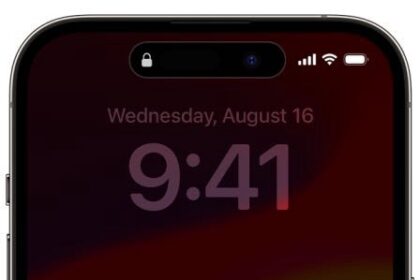
How To Fix iPhone Unavailable With No Timer error: 4 Methods
Does your iPhone say “iPhone Unavailable” and there’s no timer? Here are a few ways…

Unable to Contact the iMessage or FaceTime Server, how to fix
Learn how to troubleshoot if you are unable to contact FaceTime server or iMessage server

How to Fix App Icons Disappeared on iPhone After iOS 18 Update
Did your app icons disappear on your iPhone Home Screen after the recent iOS 18…

Apple Watch Ultra Won’t Pair or Connect to iPhone? Try These Fixes
Here’s what to do if your Apple Watch Ultra or Apple Watch Ultra 2 won’t…

Apple Watch Ultra not tracking your sleep? Here’s how to fix it
Fix Apple Watch Ultra when it's not tracking sleep and sleep stages

iPhone 15 Not Charging? Try These Fixes!
If your iPhone 15 won't charge, here are different ways to fix it

iPhone Ringer Volume Too Low or Fades, How to Fix
Learn how to fix the issue of your iPhone not ringing loudly enough when you…

FaceTime Only Works over Wi-Fi and Is Not Working over Cellular, Fix
This article explains how you can troubleshoot when FaceTime is not working unless you are…

iPhone Says User Busy – What Does It Mean & How to Fix?
Are you trying to call someone and keep getting a User Busy message? This article…