You can track down your AirPods, AirPods Pro, AirPods Max, and Beats audio devices nearly as easily as other hardware. Here’s a rundown on what makes audio devices different than an iPhone, iPad, Mac, or Apple Watch.
Each earbud is tracked separately
AirPods (3rd generation), AirPods 4 with Active Noise Cancellation, and AirPods Pro (any generation) can be tracked by their left and right earbud. If your earbuds are separated, after a short while, they appear as Left and Right entries in Find My. While you can use Find My on any device to search for them, I found the Mac’s display almost useless; use an iPhone if you can. After selecting the case or left or right earbud, tap Find.
Apple doesn’t provide Precision Finding, but uses relative signal strength to help you get close. You can play a sound on each individually, too, which lets you act like a bat and try to echolocate while using the proximity finder.
Which AirPods can be found how
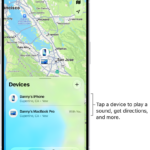
Audio hardware is all located in the Devices tab or in a Find Devices app. Here’s what and when you’ll view and be able to select:
- AirPods (1st and 2nd generation) offer only in-range Bluetooth tracking with a paired device.
- AirPods (3rd generation), AirPods 4 with Active Noise Cancellation, AirPods Pro (all generations), and AirPods Max offer Bluetooth tracking.
- Several Beats models track via Bluetooth and the Find My network.
Which Beats devices support Find My network? Beats Studio Buds, Beats Flex, Powerbeats, Powerbeats Pro, and Solo Pro.
You can carry out just two actions for all audio devices:
- Play Sound: See how to play a sound on a lost device or AirTag.
- Directions: See how to get directions to a device.
AirPods (3rd generation), AirPods 4 with Active Noise Cancellation, AirPods Pro, and AirPods Max also offer:
- Notifications: See how to get Find My alerts.
- Mark As Lost: See how to mark an iPhone as lost and lock it.
Audio devices that can’t be found except within Bluetooth range show just Play Sound and Directions.
Find your lost AirPods with Find My
- Open the Find My app on your iPhone.
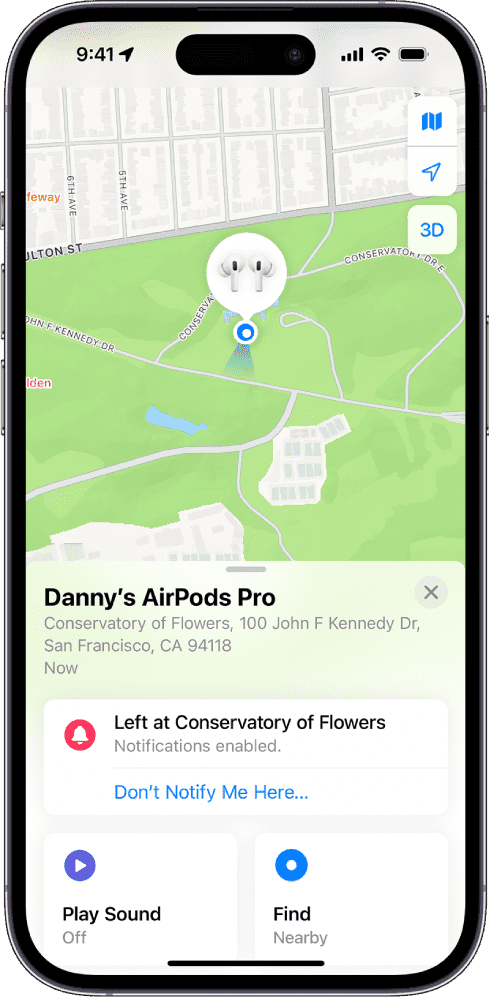
- Tap Devices, then choose your AirPods. If your AirPods are out of the case, you might have to pick the left bud or right bud. With AirPods 4 (ANC) or AirPods Pro 2 and later, you can also separately mark each of your AirPods and the case as lost, in the event that you lose just one or your AirPods are separated from the case.
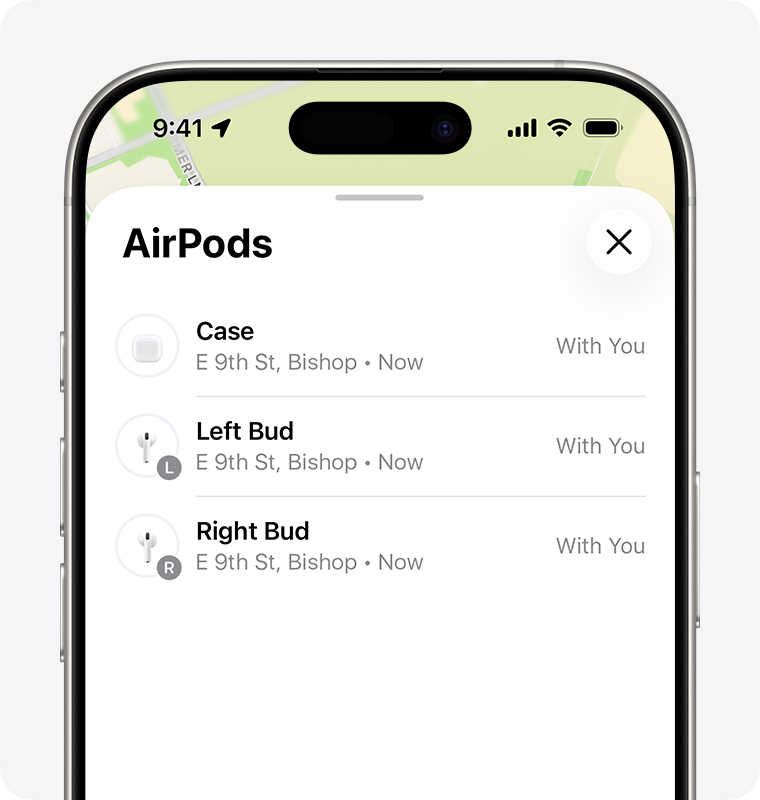
3. Find your AirPods on the map.
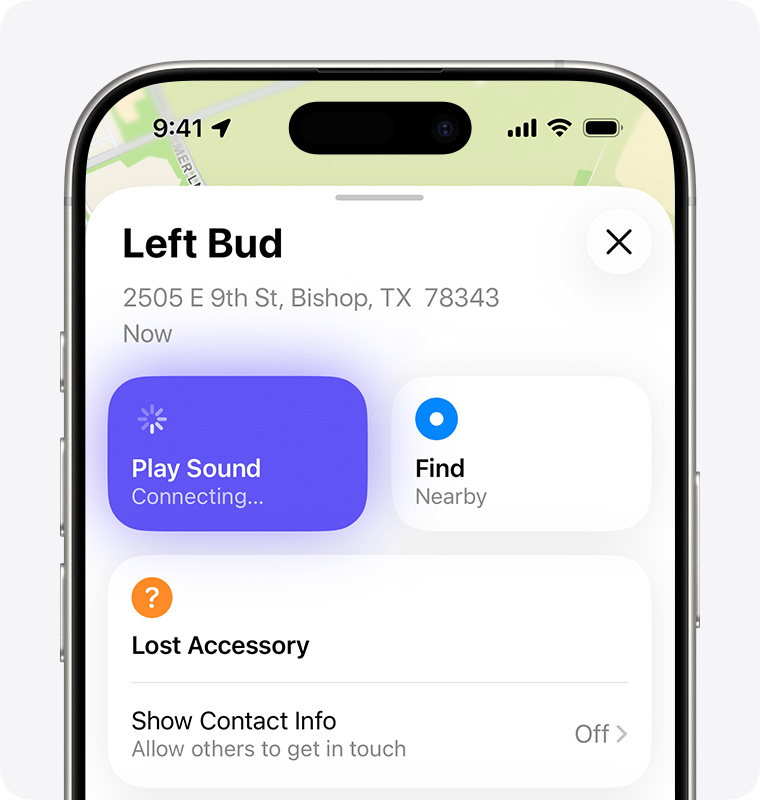
- If they aren’t near you, tap Get Directions to open their location in Maps.
- If you’re nearby, tap Play Sound and listen for the series of beeps.
- Depending on your AirPods or iPhone model, you might also see an option to Find Nearby. Tap it, wait for your AirPods to connect to your iPhone, then follow the prompts to find your AirPods.
If you don’t have an iPhone or other Apple device to use Find My, you can also find your AirPods at iCloud.com/find — but the experience might be different and some functionality might not be available.
If your AirPods are “Offline” or show “No location found”
- If your AirPods are out of range or need to charge, you might see their last known location. You might also see “Offline” or “No location found.”
- You might be able to get directions to their last known location — but you won’t be able to play a sound or use Find Nearby.
- If they come back online, you get a notification on your iPhone (or other Apple device that you use them with).
If you can’t find your AirPods
- Launch the Find My app, then choose your AirPods and swipe up.
- Under Lost [device], tap Lost Mode or Show Contact Info.
- Follow the onscreen steps to display your contact information. This allows someone to contact you if they find your AirPods.
Be ready next time with the Find My network and Notify When Left Behind
Want to help make sure that you find your AirPods next time?
- The Find My network is an encrypted, anonymous network of hundreds of millions of Apple devices that can help you find your AirPods, even if they’re offline. Nearby devices securely send the location of your missing AirPods to iCloud, so that you can find where they are. It’s all anonymous and encrypted to protect everyone’s privacy. To make sure it’s turned on: On iPhone, open the Settings app, then tap Bluetooth. Tap the More Info button
 next to your AirPods, then scroll down to Find My network and make sure that it’s turned on.
 - With Notify When Left Behind, your iPhone or Apple Watch can alert you when you leave your supported AirPods at an unknown location.
Turn on Notify When Left Behind to get notifications if you leave your AirPods behind
If you still can’t find your AirPods, you can buy a replacement.
The Find My network might be unavailable in some countries and regions due to local laws.