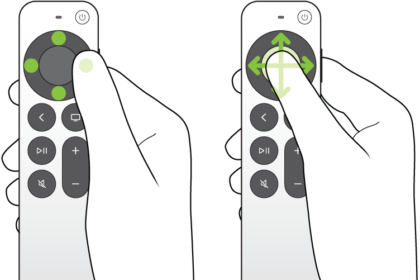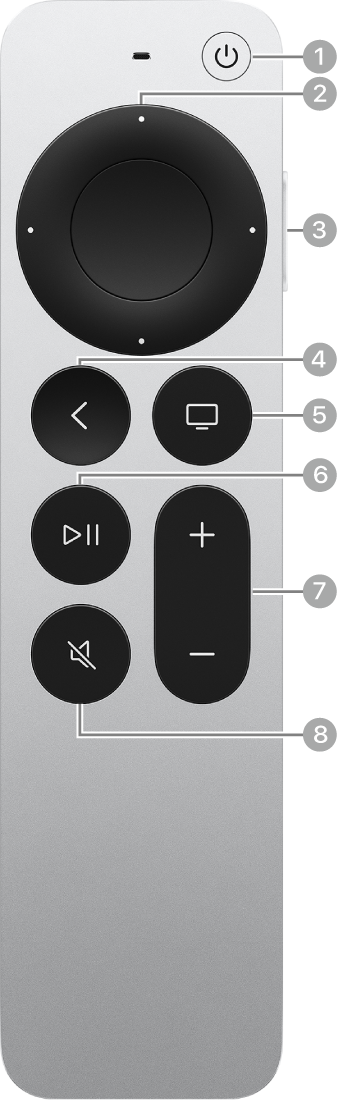
When a keyboard appears onscreen on Apple TV 4K, you can use your remote to enter text one character at a time. You can also switch between lowercase, uppercase, and special symbol keyboards, change the keyboard language if you’ve added additional languages, or enter an alternate character, like a letter with an accent mark.
When an onscreen keyboard appears on Apple TV 4K, your remote can do any of the following:
- Enter a character: Navigate in the onscreen keyboard to a character, then select it.
- Change keyboards: Press the Play/Pause button one or more times to switch between lowercase, uppercase, and special symbol keyboards (or select the uppercase, lowercase, or special symbol icon).
- Change the keyboard language: Select the Language button until the keyboard language you want appears.
This option appears only if you’ve added additional languages in Settings.
- Enter an alternate character (such as a letter with an accent mark): Navigate to the character, press and hold the clickpad center or touch surface to view character options, then select an alternate character.
Not all features and content are available in all countries or regions or on all Apple TV hardware models.
See also