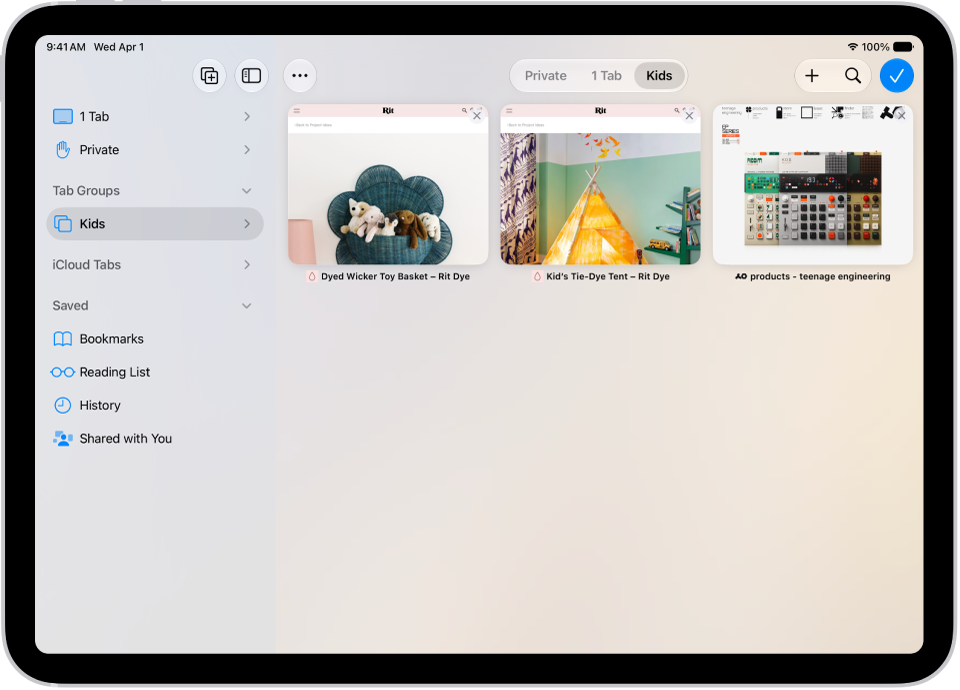
On iPad, you can share a Tab Group and collaborate with people who use iCloud. You can add and remove people at any time, and even start a message conversation, phone call, or FaceTime call without leaving Safari.
Collaborators can add and remove tabs from the Tab Group, and everyone sees updates in real time. You also get activity updates in the Messages conversation when someone makes a change, and you can remove someone with Remove Access.
Everyone you collaborate with must be signed in to their Apple Account, have Safari turned on in iCloud settings, and have two-factor authentication turned on.
Share a Tab Group
- Go to the Safari app on your iPad.
- Tap the Show Sidebar button, touch and hold a Tab Group, and then tap Share.
- Tap Messages and enter the person or group you want to share it with.
You get activity updates in the Messages conversation when someone makes changes in the Shared Tab Group.
Add and remove people from a Shared Tab Group
- Start the Safari app on your iPad.
- Tap the Collaborate button.
- Tap Manage Shared Tab Group and then do any of the following:
- Remove someone: Tap a name, then tap Remove Access.
- Add someone: Tap Share With More People and tap Messages to invite them.
- Stop Sharing with everyone: Tap Stop Sharing.
Start a Messages, audio, or video conversation from Safari
Without leaving Safari, you can start a conversation with everyone that shares the Tab Group over Messages, FaceTime audio, or FaceTime video.
- Start the Safari app on your iPad.
- In Safari, tap the Collaborate button. Tap message, audio, or video to start the conversation.
See also