Additional tabs appear in Control Center on Apple TV 4K depending on which features are currently active. These tab icons show what each tab is for. For example, if music is playing, you can access controls in the Now Playing tab.
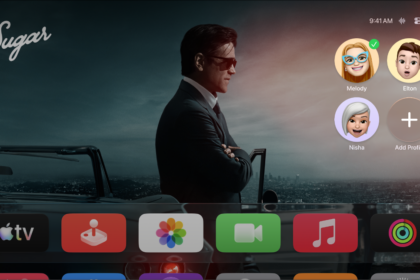
The profile icon lets you switch the profile or add a new profile, while another icon is there to open the general settings tab. Others open FaceTime controls, open SharePlay controls, answer an incoming FaceTime video call, or open controls for connected headphones.
| Tab icon | Description |
|---|---|
 | Switch the profile or add a new profile. |
 | Open the general settings tab. |
 | Open Apple Home cameras and scenes previously set up in the Home app on another device. See Monitor cameras and run scenes in the Apple Home tab on Apple TV 4K. |
 | Open Continuity Camera controls. |
 | Open FaceTime controls. |
 | Answer an incoming FaceTime video call. |
 | Answer an incoming FaceTime audio call. |
 | Open SharePlay controls. |
 | Open Now Playing controls. |
 | Open controls for connected headphones. |
 | Open VPN settings. |
Not all features and content are available in all countries or regions or on all Apple TV hardware models.
See also