AutoMix is arguably the most impressive new Apple Music feature on iOS 26. Here’s how it works.
What exactly is AutoMix in Apple Music? Think seamless mixing of your songs into one continuous playlist, for a stream of music without any annoying gaps between tracks. It’ll be similar to what a DJ does, but carried out automatically by Apple Music via Apple Intelligence’s AI brain. Outstanding!
Apple explains that AutoMix in Apple Music uses artificial intelligence to analyze the audio features of your music to seamlessly create transitions between songs. The result, Apple says, is a DJ-like listening experience for all Apple Music users:
Apple Music delivers an elevated listening experience with AutoMix, which mixes one song into the next, just like a DJ. Using AI to analyze audio features, it crafts unique transitions between songs with time stretching and beat matching to deliver continuous playback and an even more seamless listening experience.
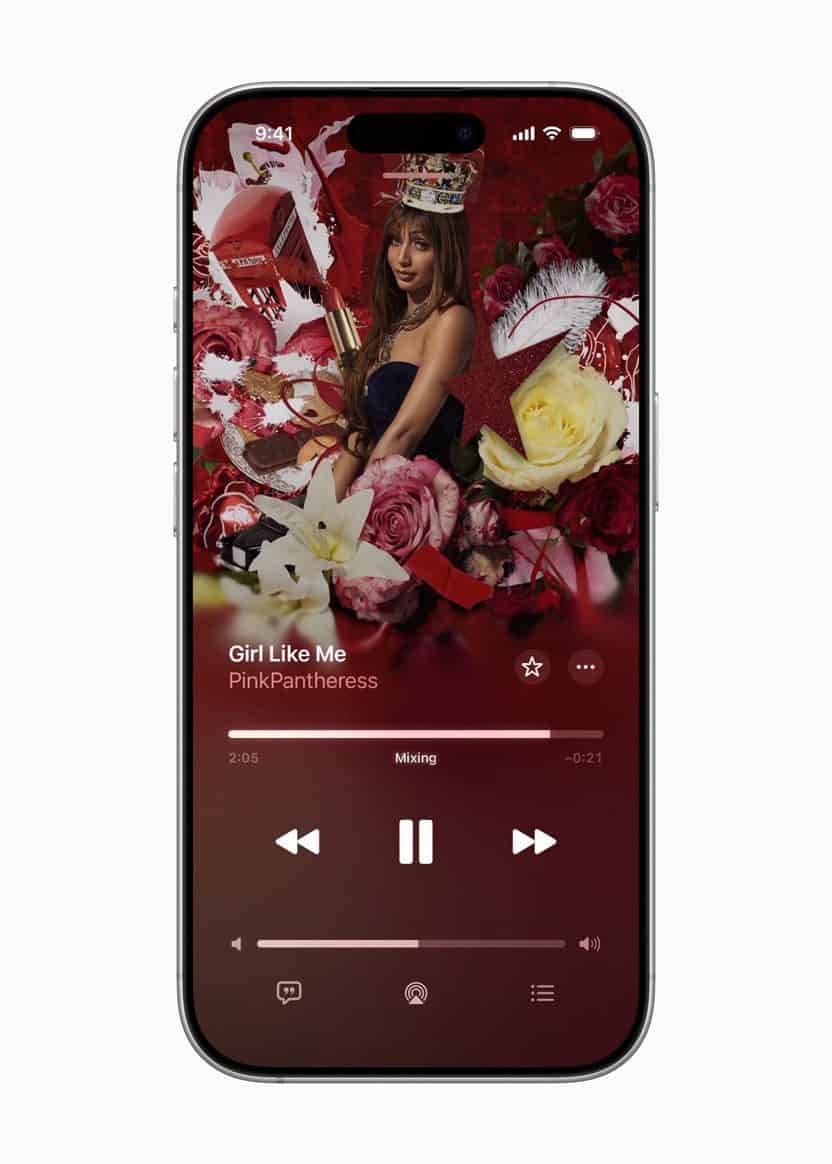
When a transition between songs kicks in, you’ll see a small "Mixing" animation on the Now Playing screen in the Music app.
How to Turn On AutoMix in Apple Music
AutoMix for Apple Music in iOS 26 is enabled by default. You can check if it’s turned on by going to the Settings app:
- Open the Settings app on your iPhone
- Scroll down and tap "Apps"
- Scroll down again and tap "Music"
- Tap "Song Transitions"
- Choose AutoMix.
Using Auto-Mix feature on iOS 26
- Launch the Apple Music app.
- Start playing any playlist or station–preferably one of Apple’s curated options like "Today’s Hits" or "Lo-Fi Chill."
- On the Now Playing screen, tap the List icon to view upcoming songs.
- Tap the AutoMix button located near Shuffle and Repeat to turn it on.
Once it’s enabled, your songs will start blending automatically–no settings to adjust, no sliders to tweak. Just play your playlist and enjoy smooth, DJ-style transitions.
It’s worth pointing out: the new AutoMix feature in Apple Music isn’t an Apple Intelligence feature. This means it’s compatible with all iPhones capable of running iOS 26, which includes the iPhone 11 and newer.
Keep in mind that iOS 26 is still in early developer beta, and things can (and will) change between now and when the update is released to the public later this fall.
What do you think of the new AutoMix feature in Apple Music on iOS 26? Let us know in the comments.
See also: 100 new iOS 26 features for iPhone! Do you know them all?