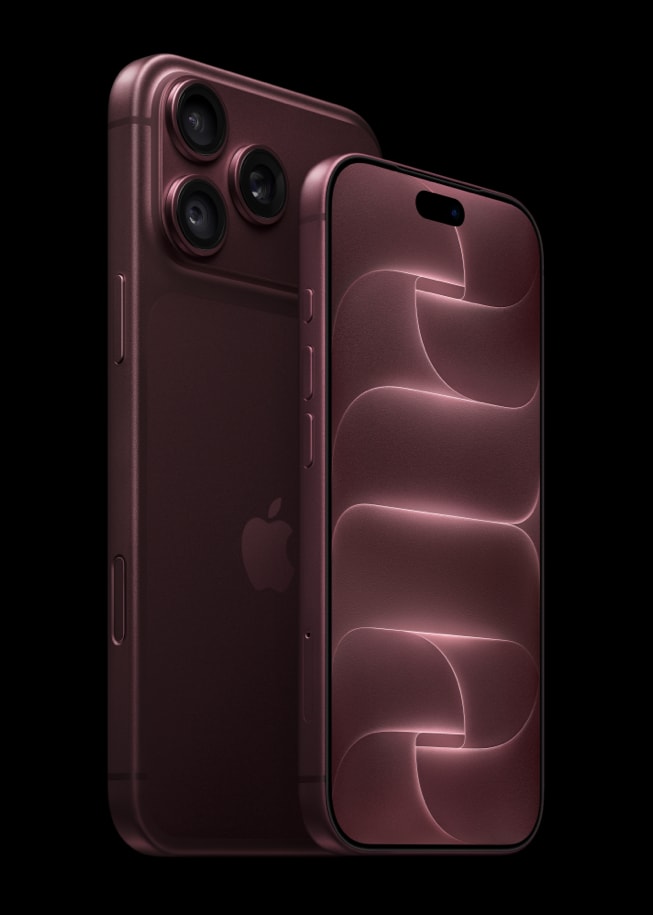
Yesterday, I tried to send an email on my iPhone 18 Pro. But it seemed that my email was stuck in my outbox. My email would not go. For some reasons, the iOS mail app could not reach the email server to send my mail. I wanted to delete it and resend again. But I could not delete the email because the “Edit” button was grayed out.
This short article explains how you can clear a stuck email in your outbox.
There may be many issues stopping the mail from being sent; such as:
- A bad connection
- Offline mail server
- Corrupt messages
- Too large file (videos, pictures etc) attachments for your email server to handle
- Wrong password for the email account
- Wrong email address
If you think that your email sending process takes too long on your iPhone 18 Pro, here is how you can troubleshoot:
Tap an email in the Outbox. Make sure that the recipient’s email address is correct. Tap Send.
How to clear stuck emails
1-Turn on Airplane mode (Settings > Airplane Mode)
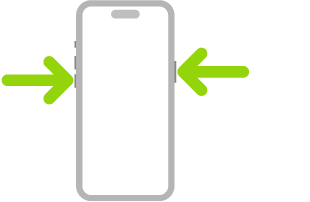
2-Restart your iPhone 18 Pro. Simultaneously press and hold the side button and either volume button until the sliders appear, then drag the Power Off slider. Wait a few seconds. Then again press and hold the side button until the Apple logo appears.
3-Do not turn off Airplane Mode
4-Launch the Mail app
5-If you have more than one email account, select the one you are having problems with, e.g., iCloud, Gmail etc
6-Tap Outbox. Note if you do not see an Outbox, this means that your email was already sent successfully.
7-Now you can tap Edit as you will see this option is no longer grayed out or dim.
8-Select the stuck email message in the Outbox and then tap Trash
Now you can turn off Airplane mode. You may want to resend this email again. If you cannot send the email again, you may want to do the following:
- Contact your email provider
- Make sure that your email account settings are correct
- Remove your email account and add again by going to Settings > Apps > Mail > Mail Accounts > Your Email Account > Delete Account
Did these tips work for you? Let us know.