





Some new iPhone 17, iPhone 17 Pro, and iPhone 17 Pro Max owners have noticed Wi-Fi problems right out of the box. Connections drop during setup, speeds are much slower than older iPhones, or Wi-Fi toggles off and on after unlocking the phone.
This looks like another connectivity problem, much like the “Call Failed” and cellular service issues we recently reported.
Many iPhone 17 owners say their Wi-Fi connection drops repeatedly, even when full signal bars are shown. Some experienced failures or slowdowns during the initial setup because Wi-Fi disconnected mid-process, while others noticed that simply unlocking the phone causes Wi-Fi to briefly shut off and reconnect. In several cases, speeds on the iPhone 17 were far lower than on older iPhones connected to the same network, and this instability also led to missed FaceTime calls and failures with Wi-Fi Calling.
Personally, i’m still experiencing frequent Wi-Fi drops on my iPhone 17 Pro Max after updating to iOS 26.1.
How to fix iPhone 17 Wi-Fi dropouts
1) Apple Watch on wrist unlocked:
When the iPhone shows the Lock Screen or unlocks, Wi-Fi briefly shuts off and back on, sometimes dropping Bluetooth (AirPods, CarPlay).
Take the Watch off your wrist, keep it locked, or power it off. On Watch itself, go to Settings > Wi-Fi and disable Wi-Fi fully. You may also need to turn off Unlock with iPhone.
2) VPN profiles left behind:
The second thing you should do to fix Wi-Fi dropouts on your iPhone 17 is to remove all the VPN profiles. Even unused VPN apps or profiles can destabilize connections. Tap Settings > General > VPN & Device Management and then remove all profiles. Delete VPN apps, reboot, and test again.
3) Older HomePods or Apple TV:
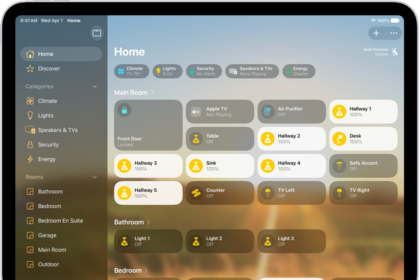
Some iPhone 17 users have reported that AirPlay or Wi-Fi instability is linked to outdated firmware. Open the Home app and update all devices.
4) Router / mesh quirks:
Band steering or 6 GHz (6E) Wi-Fi can trip up the iPhone 17’s new N1 chip. Logs (CentauriFirmwareEvent) suggest the problem is firmware-based.
To fix this, reboot router, test different bands (2.4 / 5 / 6 GHz), temporarily disable band steering. Try disabling Private Wi-Fi Address in Wi-Fi settings.
5) Network settings clutter:
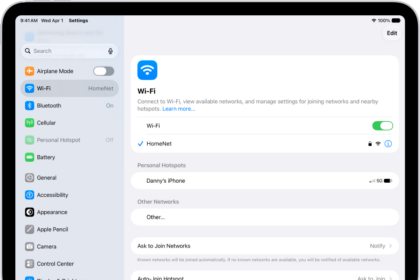
Old Wi-Fi, VPN, or Bluetooth configs interfering. You can try to fix this by forgetting and rejoining Wi-Fi or try to renew lease in Wi-Fi settings; if that fails, Reset Network Settings (Settings > General > Transfer or Reset > Reset > Reset Network Settings). Note that doing so will reset all network-related settings like saved Wi-Fi, VPN, Bluetooth devices, and cellular settings, but keeps your data and apps.
6) Persistent system conflict:
Some setups crash the Wi-Fi driver entirely. To fix this, if the above don’t fix Wi-Fi drops on your iPhone 17 try Reset All Settings (data remains intact) by going to Settings > General > Transfer or Reset iPhone > Reset > Reset All Settings.
As stated, this wipes settings (Wi-Fi passwords, wallpapers, Face/Touch ID, Apple Pay cards, privacy & location preferences) but does not erase your photos, apps, or personal data. You can read more about it in the section on what Reset All Settings does on iPhone and iPad.
7) iOS software bug:
Apple’s new N1 Wi-Fi/Bluetooth silicon seems to have a bug in iOS 26. Many users running iOS 26.1 say it fixes the Apple Watch unlock Wi-Fi/BT drop, though CarPlay hiccups may remain.
The same Wi-Fi reset behavior can knock CarPlay offline (wireless relies on Wi-Fi).


26.2 is just as buggy as I’m experiencing all the 26.1 bugs that are still not fixed yet. They included high battery drain and extra heat plus the WiFi dropping is now every time the phone is locked and unlocked it drops and you have to enter into the settings and wait for a second to trigger the connection as it is just a blank display where the network name should be, it doesn’t even show as not connected it’s just blank until it reminded its supposed to be doing its job. So this update adds more bugs to the already rushed feeling OS update. instead of just doing a security patch, we get this shat into our hands. This is the most PC my Apple has ever felt and if it keeps this course I’m gonna learn Linux and be done with all this bs.