How To
This section is dedicated to helping you use and make the most out of your Apple products. iPhone, iPad, Mac, Apple Watch—if it can make your life better, we’ll show you all the techniques you need to know to get the most out of what you have.


How to Set Up and Disable Touch ID and Face ID
Five wrong fingers locks out Touch ID, which is useful under duress.

How to Set Up Automatic Security Updates on Apple Devices
Apple patches most flaws before they are exploited, if you let it.


How to Contact Apple Online Live Chat Support Team (2026)
Get help for any issues you may have with your Apple device
How to Get a Still Photo from a Video on iPhone
Learn how to easily grab a frame from an iPhone video without third-party apps. Select…

How to reset your iPad for a new owner
Before you can even begin to think about giving your iPad to someone else, you…

Why is your iPhone not ringing on incoming calls? Know here
Your iPhone may not ring for incoming calls for various reasons. This article covers why…
How to Print Text Messages from iPhone in 2 ways
There isn't a built-in feature to print text messages on your iPhone, but you can…
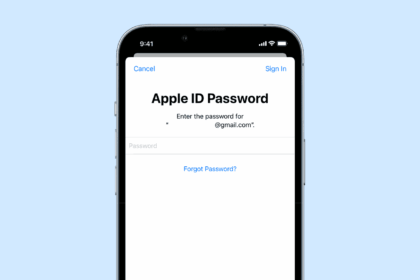
How to Change your Apple ID Password in 3 Ways
If you have your Apple device on hand and know your Apple ID password, there's…
How To Create an Apple ID Without an Apple Device & Credit Card
This article explains how you can create an Apple on the web using the Apple…
How To Delete An Apple ID
This article explains how to permanently delete your Apple ID. It also covers how to…

How To Change Apple ID Email Address
This article explains how you can change your Apple ID email address. WHAT TO KNOW…

iPhone Won’t Make Calls But Will Text? Here’s How to Fix it
Sometimes you may experience an unusual problem where you cannot make or receive calls while…