How To
This section is dedicated to helping you use and make the most out of your Apple products. iPhone, iPad, Mac, Apple Watch—if it can make your life better, we’ll show you all the techniques you need to know to get the most out of what you have.



How to Set Up and Disable Touch ID and Face ID
Five wrong fingers locks out Touch ID, which is useful under duress.

How to Set Up Automatic Security Updates on Apple Devices
Apple patches most flaws before they are exploited, if you let it.


How To Sign In To iCloud.com
Learn how to sign in to iCloud.com on your iPhone, iPad, Mac, or windows computer…

How to Turn off Google SafeSearch on iPhone, iPad, and Mac
Turn off SafeSearch on your iPhone, iPad or Mac to remove content filtering in Google…

What Does Reset All Settings Do on iPhone & iPad? Know here!
Here’s what happens when you Reset All Settings on iPhone or iPad
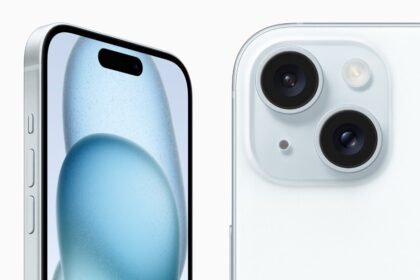
How to type the Cent symbol on your iPhone, iPad, or Mac keyboard
It's easy to type a cent symbol on iPhone, iPad, or Mac keyboard.

How to type the degree symbol on your iPhone, iPad, or Mac
This article explains how you can type the degree symbol ° on your iPhone, iPad…

How to turn your iPhone on and off
When it's time to turn off your iPhone, you have more than one option.
How to update iOS on iPhone
We show you how to update your iPhone wirelessly and how to update it using…

How to move from Android to iPhone
Ready to move from Android to iPhone? Here’s how to transfer your photos, contacts, messages,…
How to restore your iPhone if you forgot your passcode
We demonstrate how to unlock an iPhone if you forgot your passcodE
How to Block a Phone Number on your iPhone 15
You can block a number on your iPhone 15 from any of these three apps:…